Buying the right laptop is only the beginning of building a comfortable setup for work or study. After using it for a while, small inconveniences often become more noticeable. The touchpad may not feel comfortable for long sessions, the screen may sit too low, there may not be enough ports, or you may need better headphones for online meetings and classes.
This is where choosing the best laptop accessories for work and study can make a real difference. The right accessories are not simply there to make your desk look better. They can improve comfort, simplify everyday tasks, keep your setup organized, and make your laptop more practical for the way you actually use it.
However, that does not mean you need to buy every accessory available. A student carrying a laptop to university every day has different priorities from someone working from home. Similarly, a designer or video editor may need a completely different setup from someone who mainly uses a laptop for browsing, documents, and online meetings.
In this guide from Cart, we will help you identify which laptop accessories deserve priority and how to choose them according to your needs and budget.
Building your laptop setup for work or study? Explore computer accessories at Cart and choose the accessories that suit the way you use your laptop.
How to Choose the Right Laptop Accessories
Before adding products to your cart, think about the problems you are actually trying to solve.
If you spend long hours using your laptop, comfort may be your priority. If you travel or commute regularly, portability, protection, and charging become more important. For a permanent desk setup, you may benefit more from a laptop stand, external keyboard, mouse, and USB-C hub.
Identify How You Mainly Use Your Laptop
Start with a simple question: what do you spend most of your time doing on your laptop?
A student may prioritize headphones, a mouse, a protective sleeve, and a portable charger. Someone working from home may benefit more from a laptop stand, keyboard, mouse, USB-C hub, and headset for meetings.
If you work in video editing, photography, or design, fast external storage, additional ports, and display connectivity may be more important than some of the other accessories on this list.
The clearer your use case is, the easier it becomes to decide what is worth buying.
Separate Essential Accessories From Nice-to-Have Extras
It is easy to buy several laptop accessories and later discover that you barely use most of them.
Set your priorities based on actual problems. If you struggle with the touchpad every day, a mouse should be high on your list. If you constantly run out of ports, a USB-C hub may be much more useful than a new webcam.
A simple rule can help: do not buy an accessory first and then look for a reason to use it. Identify the problem first, then choose an accessory that solves it.
Think About Where You Use Your Laptop
The ideal desk setup is not necessarily the ideal university or travel setup.
At a fixed desk, you can comfortably use a stand, keyboard, mouse, and several connected devices. If you carry your laptop every day, lightweight and compact accessories become more important.
A portable mouse, compact charger, power bank, and protective laptop sleeve may therefore provide more value for someone who is constantly on the move.
Check Compatibility Before Buying
Compatibility is especially important when choosing chargers, USB-C hubs, laptop stands, and protective cases.
Check the size of your laptop, the ports it provides, Bluetooth or USB receiver requirements, charging specifications, and operating system compatibility where relevant.
Best Laptop Accessories for Work and Study
Not every accessory below is essential for every user. Each one solves a different problem, so focus on the products that match your daily needs.
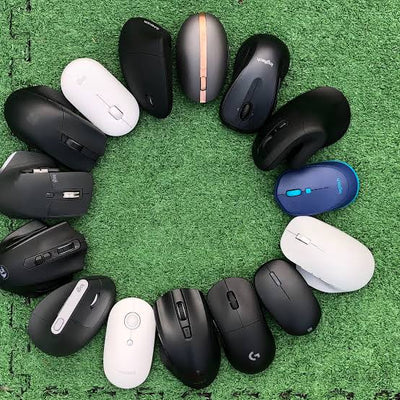
1. Wireless Mouse for Better Comfort and Control
A laptop touchpad is convenient for quick tasks, but it may not be the most comfortable option when you work or study for several hours at a time.
An external mouse can make navigating documents, websites, spreadsheets, and applications easier. It becomes even more useful for design, photo editing, and other tasks that require greater precision.
A wireless mouse is particularly convenient for laptops because it reduces cable clutter and is easy to carry.
How to Choose a Mouse for Work and Study
Do not choose based on appearance alone.
Consider the size and shape of the mouse, how comfortable it feels for extended use, whether it connects through Bluetooth or a USB receiver, its battery life, and adjustable DPI if you need different cursor sensitivity levels.
If you travel or commute frequently, a compact design can also make it easier to carry with your laptop.
Need a mouse for your laptop setup? Explore wireless mice at Cart and compare options for work, study, and everyday use.
2. External Keyboard for Long Writing and Work Sessions
Buying an external keyboard for a laptop may initially seem unnecessary, but it becomes much more practical when you use a laptop stand or external monitor.
Once the laptop is raised, using its built-in keyboard can become less convenient. An external keyboard allows you to position the screen and your hands more independently.
It can also be useful for students writing long assignments and professionals who spend much of their day working on documents, emails, or spreadsheets.
Wireless or Wired Keyboard?
A wired keyboard provides a straightforward connection and may be suitable if cable clutter is not a concern.
A wireless keyboard gives you more flexibility in positioning and can help create a cleaner desk setup.
Whichever option you choose, consider the keyboard size, key layout, typing comfort, noise level, and connectivity rather than focusing only on its appearance.
Browse wireless keyboards at Cart if you want a more flexible laptop workspace with fewer cables.
3. USB-C Hub to Expand Your Laptop's Ports
Many modern laptops come with a limited number of ports. This can quickly become inconvenient if you need to connect a monitor, mouse, keyboard, storage drive, and other accessories at the same time.
That makes a USB-C hub one of the most useful laptop accessories for work and study.
Depending on the model, a single hub can add HDMI, USB-A, USB-C, Ethernet, SD card readers, and other connections.
Which USB-C Hub Ports Do You Need?
Start by identifying what you intend to connect.
If you need an external monitor, check the HDMI specifications, supported resolution, and refresh rate. If you regularly transfer large files, pay attention to data transfer speeds.
If you want to charge your laptop while using the hub, look for Power Delivery support and make sure it is compatible with your laptop.
Do not choose a hub simply because it has the highest number of ports. Choose one with the ports you will actually use.
For a more detailed explanation, read our guide to choosing the best USB-C hub for laptop use, including display support, data speeds, ports, and charging requirements.
4. Laptop Stand for a More Comfortable Desk Setup
If you work or study on a laptop for hours at a time, you may find yourself constantly looking downward because of the position of the screen.
A laptop stand allows you to raise the device and position the display at a more suitable height for your setup. It can also help you organize your desk more effectively.
However, once the laptop is raised significantly, using the built-in keyboard and touchpad may become less practical. For that reason, a stand often works best when paired with an external keyboard and mouse.
Fixed or Foldable Laptop Stand?
If you mainly work at one desk, a stable fixed stand may be suitable.
If you regularly move between home, university, the office, and other locations, a lightweight foldable stand can be easier to carry.
Make sure the stand is suitable for your laptop's dimensions and weight.
5. Headphones for Meetings, Classes, and Focus
Headphones are not only for music. For students and professionals, they can become an important part of everyday laptop use.
If you attend online classes or meetings regularly, pay attention to microphone quality, comfort during extended use, and battery life when choosing wireless headphones.
If you work or study in a noisy environment, noise isolation or active noise cancellation may also be worth considering.
Headphones or Earbuds for Work and Study?
Both can be suitable, depending on how and where you use them.
Headphones can be comfortable for longer desk sessions and may offer stronger isolation depending on the model. Earbuds, meanwhile, are much smaller and easier to carry.
If you move around frequently, earbuds may be the more practical choice. If you spend most of the day at a desk, comfortable over-ear headphones may suit you better.
6. A Suitable Laptop Charger
An additional laptop charger can seem unnecessary until you find yourself repeatedly unplugging the charger from your desk, packing it into your bag, and reconnecting it later.
Keeping a suitable charger in your work or travel bag can make daily commuting much easier, especially if your laptop supports USB-C charging.
Why Can a GaN Charger Be Useful for Travel?
GaN technology allows manufacturers to build relatively compact chargers capable of delivering useful levels of power, depending on the model.
Some multiport chargers can also charge your laptop, phone, and other devices, reducing the number of separate adapters you need to carry.
However, do not choose a charger based on wattage alone.
Check the charging requirements of your laptop, USB Power Delivery support, cable requirements, and the specifications recommended for your device.
7. Laptop Power Bank for Working Away From an Outlet
If you regularly work or study away from a power outlet, a laptop-compatible power bank can be a valuable addition to your bag.
However, there is an important distinction to make: not every power bank can charge a laptop.
Your laptop must support the relevant charging method, while the power bank must provide suitable output power and charging support.
How Do You Choose a Power Bank for a Laptop?
Do not focus on battery capacity alone.
Check USB-C Power Delivery output, the number and type of ports, size, weight, and compatibility with the devices you want to charge.
If you plan to travel with it, remember to check the applicable airline and battery rules before your trip.
You can also read Cart's guide to the best power banks for travel to learn more about choosing the right capacity and charging features.
8. Laptop Bag or Sleeve for Protection
Your laptop is likely one of the most valuable devices you carry every day, so protection should not be treated as an afterthought.
A laptop sleeve can be useful when you already carry a larger backpack or bag, while a dedicated laptop bag may provide additional space for your charger, mouse, cables, and other accessories.
What Should You Look for in a Laptop Bag?
Start with size. The bag or sleeve needs to fit your laptop properly.
Then consider padding, build quality, internal storage, carrying comfort, and protection from spills or weather conditions according to how and where you use it.
9. External SSD for Storage and Backups
If your laptop has limited internal storage or you regularly work with large files, an external SSD can be a useful investment.
External storage is particularly valuable for designers, photographers, and video editors, but it can also help students who have large projects or anyone who wants additional space for important files.
External SSD vs. HDD
An SSD generally provides faster performance and is well suited to portable use because it does not rely on the traditional moving components found in an HDD.
An HDD, meanwhile, may provide more storage capacity for the money in situations where speed is less important.
The right choice depends on whether you prioritize speed and portability or storage capacity and cost.
10. Webcam for Online Meetings and Classes
If your laptop's built-in camera does not provide the quality you need, an external webcam can improve your experience during meetings, interviews, and online classes.
However, resolution is not the only specification that matters.
Consider image quality under different lighting conditions, autofocus, microphone performance if you plan to use the built-in mic, and a privacy shutter if that feature is important to you.
If your laptop's existing webcam already meets your needs, there is little reason to buy an external one simply to complete your desk setup.
11. Laptop Cooling Pad: Do You Really Need One?
A cooling pad is not an essential accessory for every laptop user.
If you mainly browse the web, write documents, or attend online classes, it may not deserve a high position on your shopping list.
However, if you use your laptop for gaming, rendering, or sustained demanding workloads and have a genuine thermal concern, a cooling solution may be worth considering.
It should not, however, be treated as an automatic solution for every laptop temperature issue without first understanding the underlying cause.
12. Cable Organizers for a Cleaner Workspace
Once you add a charger, HDMI cable, USB devices, headphones, and other accessories, your desk can quickly become cluttered with cables.
Simple cable organizers or clips can make individual cables easier to access while keeping the workspace more organized.
It may not be the most important laptop accessory, but it can make a noticeable difference when you have a fixed desk setup that you use every day.
Best Laptop Accessories Based on Your Use
If you are unsure where to start, prioritize accessories based on the way you use your laptop.
|
Use Case |
Accessories to Prioritize |
|
Study and university |
Mouse, headphones, power bank, sleeve |
|
Working from home |
Laptop stand, keyboard, mouse, USB-C hub, headset |
|
Online meetings |
Headset, webcam, charger |
|
Design and video editing |
External SSD, USB-C hub, mouse, laptop stand |
|
Travel and commuting |
Compact charger, power bank, sleeve, portable mouse |
This does not mean you need every accessory listed for your category. Use the table as a starting point, then adjust your setup according to your device and personal requirements.
Best Laptop Setup for Students
Students generally need a setup that is easy to carry rather than a desk filled with accessories.
A compact mouse, headphones for online classes and focused study, a protective sleeve, and a portable charger can provide a solid starting point.
If you spend long hours away from home, you can add a compatible power bank.
A USB-C hub can also be useful if you regularly give presentations or need to connect flash drives, projectors, displays, or other devices.
The goal is to make every accessory easy to carry and useful enough to justify the extra space in your bag.
Best Laptop Setup for Working From Home
When working from home, comfort and organization become more important because you are likely to spend longer periods at a fixed desk.
A laptop stand can raise the screen, while an external keyboard and mouse give you more flexibility in positioning your hands and laptop.
A USB-C hub can bring your display, storage, and other peripherals together through one connection, while a comfortable headset can make frequent online meetings easier.
Building your home office setup? Explore keyboards and mice at Cart and find accessories that suit the way you work.
Which Laptop Accessories Do You Not Need to Buy Immediately?
One of the most common mistakes when building a laptop setup is assuming you need every accessory at once.
In reality, many products become useful only in specific situations.
If your laptop's camera is already good enough, you do not need a separate webcam. If you have plenty of internal storage, an external SSD may not be an immediate priority. If your laptop already has all the ports you need, there is no urgent reason to buy a USB-C hub.
The same applies to cooling pads, docking stations, and other specialized accessories.
Start with products that solve problems you already experience. You can always expand the setup when your needs change.
How Much Should You Spend on a Laptop Setup?
There is no single budget that works for everyone. A better approach is to build your setup in stages.
Basic Laptop Setup
Start with a mouse, headphones, and a laptop sleeve or bag.
This is a practical combination for students and general users who do not need a complex desktop setup.
Mid-Level Laptop Setup
Add a laptop stand, external keyboard, and USB-C hub if you spend more time working at a desk or regularly connect multiple devices.
Complete Work Setup
A more complete setup may include a laptop stand, keyboard, mouse, USB-C hub, headset, external storage, and an additional charger, along with an external monitor if your work requires one.
Building your setup gradually allows you to prioritize the accessories that deliver the most value instead of buying everything at once.
Common Mistakes When Buying Laptop Accessories
One of the biggest mistakes is choosing accessories based entirely on appearance or the number of features advertised.
A stylish mouse is not useful if it feels uncomfortable after an hour. Similarly, a USB-C hub with ten ports is not necessarily better if the connections you need do not provide the right specifications.
Check compatibility before purchasing chargers and hubs, and always confirm your laptop dimensions before buying a sleeve or bag.
Do not assume that every power bank can charge your laptop or that every USB-C charger provides the power your device requires.
Most importantly, avoid buying several accessories simply to recreate a desk setup you have seen online. The best setup is the one designed around your own needs.
How to Build a Practical Laptop Setup Without Buying Too Much
If you are unsure how to prioritize your purchases, use this simple order:
Comfort → Connectivity → Power → Protection → Productivity
Start with comfort. Would a mouse, laptop stand, or external keyboard improve your daily experience?
Next, consider connectivity. Do you have enough ports, or would a USB-C hub solve the problem?
Then think about power. Does your current charger suit your routine, and do you need a laptop-compatible power bank?
After that, consider protection. Do you have a suitable laptop sleeve or bag?
Finally, add productivity accessories such as an external SSD or webcam when you have a clear reason to use them.
This approach allows you to build your laptop setup gradually rather than spending your budget on accessories that may spend most of their time in a drawer.
Discover Laptop Accessories at Cart
Choosing the best laptop accessories for work and study is not about how many products you can fit on your desk. It is about how effectively those accessories make your laptop easier and more comfortable to use.
You may start with a mouse, add a USB-C hub when you need more ports, and later introduce a laptop stand and external keyboard when you begin working from home more regularly.
The important thing is to choose every accessory for a clear purpose and check compatibility with your laptop before buying.
Ready to upgrade your laptop setup? Browse computer accessories at Cart and find options for work, study, and everyday use.
Frequently Asked Questions About the Best Laptop Accessories for Work and Study
What Are the Most Important Laptop Accessories?
It depends on how you use your laptop. A mouse, protective bag or sleeve, and headphones are practical for many users. If you spend long hours working at a desk, a laptop stand, external keyboard, and USB-C hub may become more important.
What Are the Best Laptop Accessories for Students?
Students should generally prioritize lightweight and portable accessories, such as a compact mouse, headphones or earbuds, laptop sleeve, suitable charger, and a compatible power bank when needed. A USB-C hub can also be useful for presentations and connecting additional devices.
What Are the Best Laptop Accessories for Working From Home?
A laptop stand, external keyboard, mouse, USB-C hub, and comfortable headset provide a strong starting point for a home office. External storage and a webcam can then be added depending on your work.
Is a Laptop Stand Necessary?
Not for everyone. However, it can be useful if you spend long hours working at a desk and want to raise the laptop screen to a more suitable position. It is often most practical when combined with an external keyboard and mouse.
Do I Need an External Keyboard for My Laptop?
If you use the laptop directly on a desk, the built-in keyboard may be sufficient. An external keyboard becomes more useful when you raise the laptop on a stand or use an external monitor.
Can Any Power Bank Charge a Laptop?
No. Your laptop must support the relevant charging method, and the power bank needs to provide compatible charging technology and sufficient output. Always check the specifications of both devices.
How Do I Know Whether a USB-C Hub Is Compatible With My Laptop?
Identify the features you need, such as video output, high-speed data, or Power Delivery, then compare them with your laptop's USB-C specifications and the hub's capabilities. The USB-C connector alone does not guarantee support for every function.
Is a Wireless Mouse Better for Work?
Not necessarily in every situation, but a wireless mouse is convenient for laptop users because it reduces cable clutter and is easy to carry. Comfort, accuracy, connectivity, and battery life are more important than whether the mouse is wired or wireless alone.
What Wattage Charger Do I Need for My Laptop?
Check the laptop manufacturer's specifications or the original charger to determine the device's requirements. Do not choose based on wattage alone; the charging standard and compatibility also matter.
Do Students Need an External SSD?
Not necessarily. If your laptop has enough internal storage and you work with relatively small files, you may not need one. An external SSD becomes more useful when you handle large projects, need additional fast storage, or want another location for important files.
Conclusion: Which Laptop Accessories Are Best for You?
There is no universal list of the best laptop accessories for work and study because every user has different priorities. A student who carries a laptop every day needs a different setup from someone working from home, while a content creator may prioritize storage and connectivity over portability.
Start with the things that affect your daily experience most. Focus on comfort first, followed by connectivity, charging, protection, and finally the accessories that can improve your productivity.
By building your setup around actual needs, you can spend your budget on accessories you will genuinely use instead of filling your desk or laptop bag with unnecessary products.
Start with the essentials and upgrade your setup as your needs grow. Explore Cart Jordan to discover accessories and devices for work, study, and everyday laptop use.