Buying a new iPhone is exciting, but once you've set it up and transferred your data, a whole new set of questions usually comes up. Do you need to buy a new charger? What type of case should you choose? Is a screen protector really necessary? And are MagSafe accessories worth buying from day one, or can they wait?
With so many iPhone accessories available, it's easy to spend a significant amount of money on products that seem useful at first, only to realize a few weeks later that you barely use them.
So, if you're using an iPhone for the first time or you've just upgraded to a new model, don't start by asking, "What accessories can I buy?" Instead, ask yourself: "Which accessories do I actually need?"
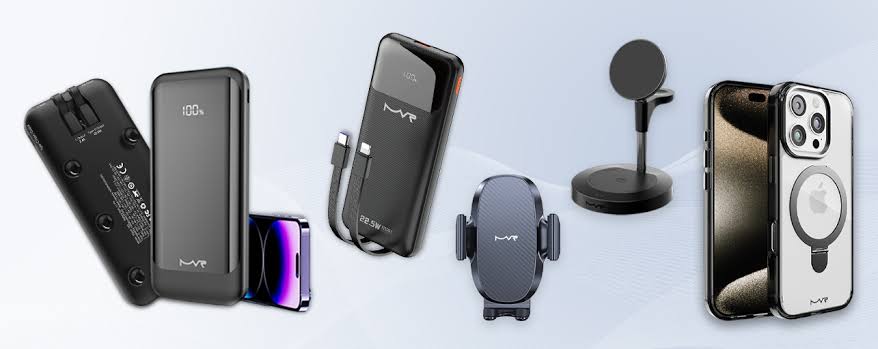
In this guide, we'll break down the most essential accessories for new iPhone users based on priority. You'll learn how to choose the right case, screen protector, charger, power bank, wireless earbuds, and MagSafe accessories so you can build an iPhone setup that fits your lifestyle and budget without wasting money on unnecessary products.
Just bought a new iPhone?
Start with the accessories you'll actually use. Browse iPhone accessories available on Cart and choose the products that fit your phone and everyday needs.
Just Bought a New iPhone? Start With These Accessories
You don't need to buy everything on your first day.
Some accessories are worth having immediately because they protect your phone or help you use it properly, while others depend entirely on your lifestyle.
Here's a simple way to prioritize your purchases:
|
Accessory |
Priority |
Why You May Need It |
|
Protective Case |
Essential from day one |
Protects your phone against scratches and impacts |
|
Screen Protector |
Essential from day one |
Helps protect the display against scratches and damage |
|
Suitable Charger |
Depends on what you already own |
Keeps your iPhone charged efficiently |
|
Extra Cable |
Useful |
Convenient for home, work, or the car |
|
Power Bank |
Important on the go |
Provides extra battery power away from an outlet |
|
Wireless Earbuds |
Depends on your usage |
Useful for calls, music, and work |
|
MagSafe Accessories |
Optional but useful |
Make charging and everyday use more convenient |
|
Car Mount |
For drivers |
Makes navigation more practical |
If you're working with a limited budget, start with three things: a good protective case, a suitable screen protector, and a reliable charger if you don't already have one.
You can always add the rest once you understand how you actually use your new iPhone.
1. Protective Case: The First Accessory Worth Buying
It makes sense to put a protective case at the top of the list, especially when your iPhone is brand new.
The primary purpose of a case is to reduce damage from everyday bumps, scratches, and accidental drops. But protection shouldn't be the only factor you consider when choosing one.
Which Type of iPhone Case Is Right for You?
If you want to preserve the slim feel of your iPhone, a Slim Case or lightweight silicone case may be the right choice.
If you're frequently on the move or tend to drop your phone, a Rugged Case with additional edge protection may be more suitable.
And if you love the original color and design of your iPhone, a high-quality Clear Case allows you to show it off while still adding an extra layer of protection.
The key is to match the level of protection to the way you actually use your phone. There's little reason to carry an extremely bulky case if your phone spends most of its time on a desk, just as a very thin case may not be enough for someone who regularly uses their iPhone in demanding environments.
Do You Need a MagSafe Case?
If you're planning to use a MagSafe charger, magnetic power bank, car mount, or MagSafe wallet, it's worth choosing a MagSafe-Compatible Case from the beginning.
A compatible case helps MagSafe accessories attach properly to your phone instead of weakening the magnetic connection and compromising the experience.
This can also save you from buying a regular case first and replacing it later when you decide to add MagSafe accessories to your setup.
Tip: Always make sure you're buying a case designed for your exact iPhone model. Don't assume that cases are interchangeable simply because two iPhone models have similar screen sizes.
Don't wait for the first drop to start thinking about protection.
Browse iPhone cases available on Cart and choose the right case for your iPhone model and everyday usage.
2. Screen Protector: A Small Investment That Can Save You a Lot
Right after a protective case comes the Screen Protector.
Even as smartphone displays become more durable, they're still exposed to scratches and accidental impacts during everyday use. A screen protector provides an additional layer of protection that can be replaced much more easily than the phone's actual display.
But which type should you choose?
Tempered Glass
Tempered Glass is the practical choice for most users because it provides additional protection against everyday scratches and impacts while maintaining good display clarity and touch responsiveness when you choose a quality product.
It's a strong all-around option if your main priority is protecting your new iPhone without noticeably changing the way the screen feels.
Privacy Screen Protector
If you frequently use your iPhone on public transportation, at university, at work, or in crowded public places, a Privacy Screen Protector may be more suitable.
It reduces screen visibility from side angles, making it more difficult for people around you to see what you're viewing.
This can be particularly useful when checking private messages, work information, or other content you'd rather keep out of view.
Anti-Glare Screen Protector
If you frequently use your iPhone outdoors or under bright lighting, an Anti-Glare Screen Protector can help reduce reflections and make the display more comfortable to view.
What Should You Look for Before Buying?
Don't make your decision based only on price or glass thickness. Check:
-
Compatibility with your exact iPhone model.
-
Whether it maintains good touch responsiveness.
-
Compatibility with your protective case.
-
Ease of installation.
-
Whether it covers any important areas in a way that could affect everyday use.
The goal is to add protection without compromising the experience of using your iPhone.
3. The Right Charger: Know What You Need Before You Buy
One of the most common questions for new iPhone users is: Which charger should I buy?
There isn't one charger that's automatically right for everyone.
Before purchasing anything, check what you already have. If you already own a reliable USB-C charger that's compatible with your iPhone's charging requirements, you may not need another one.
If you do need a new charger, however, there are several factors worth considering.
Look for USB-C Power Delivery
USB-C Power Delivery (PD) is a charging standard that can provide fast charging to compatible devices when paired with the appropriate charger and cable.
That's why you shouldn't look only at the wattage printed on the charger. Check the charging technologies it supports and whether they're compatible with your device.
A higher wattage number on its own doesn't necessarily mean you'll get a better charging experience.
Single-Port or Multi-Port Charger?
If you only need to charge your iPhone, a single-port charger may be all you need.
But if you own several devices, such as:
-
iPhone
-
Apple Watch
-
AirPods
-
iPad
-
Laptop
a Multi-Port Charger can be far more practical, particularly on your desk or while traveling.
Instead of carrying multiple chargers, you can power several compatible devices from a single unit. Just remember to check the charger's total output and how power is distributed when multiple ports are being used simultaneously.
What About a MagSafe Charger?
If convenience matters more to you than plugging and unplugging a cable every time you charge, a MagSafe Charger can be a useful addition to your desk or bedside setup.
But you don't need to buy MagSafe simply because you own an iPhone.
If wired charging already meets your needs, you can start there and add magnetic charging later if you find it would make your routine more convenient.
Not sure which charger to choose?
Compare iPhone chargers available on Cart and choose based on your devices and charging habits—not price alone.
4. An Extra Cable: A Simple Accessory You'll Use More Than You Expect
Owning only one charging cable usually means moving it from one place to another throughout the day.
That's why an extra cable can be one of the simplest but most practical additions to your new iPhone setup.
You could keep:
-
One beside your bed.
-
One in your work or university bag.
-
One in the car.
This saves you from constantly unplugging, packing, and carrying the same cable everywhere.
Which Cable Should You Choose?
When buying a USB-C Cable, don't look only at the connector type. Make sure the cable supports the charging performance you need.
If your cable is regularly folded, packed into bags, or moved between different locations, a Braided Cable may be a practical option because its construction is typically better suited to repeated everyday handling.
Quality matters more than quantity here. One reliable cable you use every day can be a better purchase than several inexpensive cables that wear out quickly.
5. Power Bank for iPhone: Do You Actually Need One?
Not every iPhone user needs a power bank.
If you leave home in the morning and regularly make it back with plenty of battery remaining, a power bank probably shouldn't be one of your first purchases.
But if you use your phone heavily for:
-
Photography and video.
-
GPS and navigation.
-
Gaming.
-
Streaming video.
-
Work and social media.
-
Travel and long journeys.
Having an additional source of power in your bag can become extremely useful.
5,000mAh or 10,000mAh?
The right choice depends on the balance you want between capacity and portability.
A 5,000mAh Power Bank is suitable for users who want something compact for emergency charging and additional power during the day.
A 10,000mAh Power Bank provides more capacity, making it better suited to travel and heavier use, although it will typically be larger and heavier.
It's also important to understand that the capacity printed on a power bank represents the nominal capacity of its internal cells. It doesn't mean that the exact same amount of energy will reach your iPhone battery.
Some energy is naturally lost during power conversion and charging, with wireless charging generally introducing additional losses.
MagSafe Power Bank or Traditional Power Bank?
If convenience is your priority, a MagSafe Power Bank allows you to attach the battery magnetically to your iPhone and charge it without running a cable between the two devices during wireless charging.
If your priorities are higher capacity, faster wired charging, or the ability to charge multiple types of devices, a high-quality traditional power bank may be more suitable.
Neither option is automatically better for everyone.
The best power bank is the one that matches the way you actually use your phone.
Need extra power to get through the day?
Explore our guide to the best MagSafe Power Banks or compare the power banks available on Cart to find the right capacity and charging method for your
6. Wireless Earbuds: Are AirPods the Only Option?
After buying a new iPhone, wireless earbuds may be one of the first accessories you consider, especially if you regularly use your phone for calls, music, streaming, or online meetings.
However, owning an iPhone doesn't necessarily mean you have to buy AirPods. Most modern Bluetooth earbuds can work with an iPhone, and the best choice ultimately depends on your needs and budget.
When Are AirPods a Good Choice?
AirPods are designed to integrate closely with the Apple ecosystem, making them particularly convenient if you already own multiple Apple devices and want a smooth experience between them.
Features vary depending on the model, but certain AirPods offer capabilities such as noise cancellation, different listening modes, and deeper integration with compatible Apple devices.
If these features matter to you and you regularly use other Apple products, AirPods may be worth the investment.
What About Anker and JBL?
There are plenty of alternatives from brands such as Anker Soundcore and JBL, offering different options in terms of price, sound quality, battery life, and noise cancellation.
Instead of choosing earbuds based on the brand alone, compare them according to what matters most for your everyday use:
|
Your Main Use |
What to Look For |
|
Calls and work |
Microphone quality and voice clarity |
|
Music |
Sound quality and balance |
|
Travel |
Active Noise Cancellation and battery life |
|
Sports |
Secure fit and sweat or water resistance |
|
All-day use |
Comfort and battery life |
|
Specific budget |
Best features for the price |
If you wear your earbuds for several hours every day, comfort, microphone quality, and battery life may matter much more than having dozens of extra features you'll rarely use.
Looking for wireless earbuds that fit your needs?
Compare wireless earbuds available on Cart and choose based on sound quality, battery life, calls, and the features you'll actually use.
7. MagSafe Accessories: What Does a New iPhone User Actually Need?
You'll probably hear the word MagSafe quite often once you start exploring iPhone accessories, but that doesn't mean you need to buy every MagSafe product you come across.
Simply put, MagSafe is an ecosystem of compatible magnetic accessories that can attach to your iPhone or a compatible case. These include chargers, power banks, wallets, stands, and car mounts.
The main advantage is convenience.
MagSafe Charger
A MagSafe Charger can be useful if you want a dedicated charging spot on your desk or beside your bed and prefer placing your phone on a charger instead of plugging in a cable every time.
MagSafe Power Bank
This is one of the more practical MagSafe accessories for people who are frequently on the move.
It attaches magnetically to the back of the phone and provides portable wireless charging without requiring a cable between the iPhone and power bank.
MagSafe Wallet
A MagSafe Wallet can be a convenient choice if you only need to carry a small number of cards and don't always want to take a separate wallet with you.
MagSafe Desk Stand
A MagSafe Desk Stand can be useful if your iPhone spends a lot of time on your desk.
It keeps your phone positioned at a comfortable viewing angle for video calls, checking notifications, or watching content while you work.
MagSafe Car Mount
If you use navigation apps every day, a MagSafe Car Mount may be more useful to you than many other MagSafe accessories.
It allows you to attach and remove your phone quickly when getting in and out of the car.
Do You Need All These MagSafe Accessories?
No.
If you're a new iPhone user, start by identifying the problem you actually want to solve.
If wireless charging isn't important to you, there's no reason to rush into buying a MagSafe Charger. If you rarely drive, a Car Mount probably shouldn't be high on your shopping list.
Think of MagSafe as an ecosystem you can build gradually—not a shopping list you need to complete all at once.
Want to learn more before choosing?
Read our guide to the best MagSafe accessories in Jordan, then choose the accessories on Cart that fit the way you use your iPhone.
8. Car Mounts and Chargers: For iPhone Users Who Drive Every Day
If driving is a regular part of your routine and you rely on your iPhone for navigation, a car mount may become one of the accessories you use most often.
A good mount keeps your screen positioned where it's easier to view without having to hold the phone, which is particularly useful when using navigation apps.
Magnetic vs. Traditional Car Mounts
Traditional car mounts usually use clamps or adjustable arms to hold your phone in place.
Compatible magnetic mounts, on the other hand, allow you to attach and remove your iPhone more quickly.
If you're already using MagSafe accessories, a MagSafe Car Mount can be a practical addition to your existing setup.
Do You Need a Car Mount That Charges Your iPhone?
If you frequently drive long distances and use GPS throughout the journey, combining mounting and charging in one accessory may be more convenient.
If your trips are generally short and your iPhone battery comfortably lasts throughout the day, a simple mount without charging may be all you need.
When choosing a car mount, don't focus on appearance alone. Consider how securely it holds your phone and whether the mounting position works well in your vehicle.
9. Useful iPhone Accessories for Work and Study
If your iPhone is an important part of your university or workday, some accessories that don't seem essential at first can make your daily routine much more organized and convenient.
Desk Stand
A Desk Stand allows you to position your iPhone at a comfortable viewing angle during video calls, while checking notifications, or when watching content as you work.
Multi-Port Charger
Instead of using a separate charger for every device, a multi-port charger can be practical if you regularly carry an iPhone, earbuds, tablet, or compatible laptop.
Just make sure to check the charger's total power output and how that power is distributed across the ports when several devices are connected.
Power Bank
If your day starts at university or the office and continues for several hours away from a power outlet, keeping a compact Power Bank in your bag can be extremely useful.
Wireless Earbuds
Wireless earbuds are useful for meetings, calls, lectures, and listening to content while commuting.
For users who rely heavily on their iPhone for work or study, a good pair of wireless earbuds may therefore deserve a higher place on the priority list.
Build a smarter everyday iPhone setup.
Browse iPhone accessories available on Cart and choose the products that make your work or university day easier.
10. Essential iPhone Accessories for Frequent Travellers
Your needs while travelling are different from your needs at home.
When you're packing for a trip, portability and versatility usually matter more than owning a large number of accessories.
A few products may be particularly useful.
Compact or Medium-Capacity Power Bank
A portable power bank gives you extra battery power while you're on the move, particularly at airports, during long journeys, or on days when you're using navigation and the camera frequently.
Multi-Port Travel Charger
If you're traveling with several devices, a multi-port charger can reduce the number of individual chargers you need to carry.
Universal Travel Adapter
When traveling internationally, check the type of electrical outlets used at your destination.
You may need a suitable Travel Adapter to use your charger while you're there.
Cable Organizer
It may seem like a small detail, but a cable organizer keeps cables, chargers, and adapters together instead of leaving you searching through your luggage every time you need one.
Protective Travel Case
If you're carrying earbuds, a power bank, chargers, and several cables, a dedicated accessory case can help keep everything protected and organized.
A simple iPhone Travel Kit might include:
Multi-Port Charger + Extra Cable + Power Bank + Travel Adapter when required.
For many trips, you won't need much more than that.
Which iPhone Accessories Don't You Need to Buy Immediately?
One of the most common mistakes after buying a new phone is trying to complete your entire accessory setup at once.
In reality, you can wait a few days, use your iPhone, and discover what you actually need.
Start With the Essentials
For most new iPhone users, the priorities are:
Case + Screen Protector + Suitable Charger
These products cover two of your most important initial needs: protection and charging.
Then Add What You Actually Need
After using your phone for a while, you'll start noticing what's missing from your setup.
Does your battery regularly run out before the end of the day? Add a power bank.
Do you drive frequently and rely on maps? Consider a Car Mount.
Want to reduce your reliance on cables in certain situations? Start exploring MagSafe.
Do you spend hours on calls and online meetings? Invest in a good pair of Wireless Earbuds.
This way, you're building your accessory setup around the way you use your iPhone instead of changing your habits to justify accessories you've already bought.
How to Build an iPhone Starter Kit Based on Your Needs
If you're still unsure about what to buy, it can help to organize your accessories into different starter kits based on how heavily you use your iPhone.
Basic Starter Kit
Suitable for anyone who has just bought an iPhone and only wants the essentials:
-
Protective Case
-
Screen Protector
-
Suitable Charger
For many new iPhone users, this is more than enough to get started.
Everyday Starter Kit
If you depend on your iPhone throughout the day:
-
Protective Case
-
Screen Protector
-
Fast Charger
-
Power Bank
-
Extra Cable
-
Wireless Earbuds
This setup covers protection, charging at home and on the go, and the accessories you'll likely use regularly.
Complete Starter Kit
If you're a heavy iPhone user and want to make more use of MagSafe:
-
MagSafe-Compatible Case
-
MagSafe Charger
-
MagSafe Power Bank
-
Wireless Earbuds
-
MagSafe Car Mount
-
Multi-Port Charger
The complete kit isn't automatically the best choice for everyone.
The best iPhone Starter Kit is the smallest collection of accessories that fully covers your actual needs.
You don't need to buy everything at once.
Start with the essentials from Cart, then add the accessories you genuinely need as you get used to your new iPhone.
7 Mistakes New iPhone Users Make When Buying Accessories
1. Buying a Case Before Checking the Exact iPhone Model
Knowing that you own an iPhone isn't enough.
Check the exact model before buying a Case or Screen Protector to avoid compatibility and fit issues.
2. Choosing a Charger Based on Wattage Alone
Power output matters, but so do the supported charging standard, compatibility, and overall product quality.
Don't assume that the charger with the highest wattage is automatically the best option for your iPhone.
3. Buying Cheap, Low-Quality Cables
A charging cable is something you'll probably use every day.
Durability and compatibility can therefore matter more than saving a small amount of money upfront.
4. Using MagSafe With an Incompatible Case
If your case isn't designed to work properly with MagSafe, you may not get the magnetic attachment experience you expect.
If MagSafe will be part of your setup, choose your case accordingly.
5. Buying the Largest Power Bank Available
More capacity usually means more size and weight.
If you only need an occasional battery top-up during the day, a smaller power bank may be much more practical to carry.
6. Buying Too Many Accessories at Once
Give yourself some time to understand how you'll use your new phone.
An accessory that seems essential before you start using the iPhone may turn out to be something you rarely need.
7. Assuming the Most Expensive Option Is Always the Best
A higher price doesn't automatically make a product the right choice for you.
Compare specifications, quality, compatibility, and your actual use case before making a purchase.
What Should You Buy With a New iPhone?
If you want a simple checklist to organize your purchases, use this as a starting point:
|
When? |
What Should You Buy? |
|
From Day One |
Case + Screen Protector + Charger if needed |
|
After Using Your iPhone for a While |
Extra Cable + Power Bank + Wireless Earbuds |
|
Based on Your Lifestyle |
MagSafe Accessories + Car Mount + Desk Stand + Travel Accessories |
This approach helps you avoid buying products you don't need while making sure the essentials are covered from the beginning.
Frequently Asked Questions About Accessories for New iPhone Users
What Are the Most Essential iPhone Accessories to Buy First?
For most users, a protective case and screen protector are among the first accessories worth buying to help protect the phone.
After that, check whether you already have a suitable charger. Power banks, wireless earbuds, and MagSafe accessories can then be prioritized according to how you use your iPhone.
What Do I Need When Buying a New iPhone?
Start with protection and charging: a protective case, screen protector, and a suitable charger if you don't already own one.
After using the phone for a short period, you'll have a better idea of whether you need a power bank, wireless earbuds, or other accessories.
Do I Need to Buy a New Charger for My iPhone?
Not necessarily.
If you already have a reliable, compatible charger that meets your iPhone's charging requirements, you may be able to continue using it. Check the specifications of both your iPhone and charger before buying another one.
How Do I Choose the Right iPhone Charger?
Check the connector type, power output, and supported charging standard, such as USB-C Power Delivery.
Also consider the number of ports if you want to charge multiple devices from a single charger.
Do I Need a MagSafe Case?
If you plan to use MagSafe accessories such as a charger, power bank, wallet, or car mount, choosing a MagSafe-compatible case can make the setup more practical and provide a more reliable magnetic connection.
Is MagSafe Worth It?
MagSafe is worth considering if you value convenient magnetic attachment, wireless charging, and the ability to switch between compatible accessories easily.
However, it's not essential for every iPhone user.
What Is the Best Power Bank Capacity for an iPhone?
The right capacity depends on how you use your phone.
A 5,000 mAh power bank can be practical for additional charging during the day, while a 10,000 mAh power bank may be better suited to longer periods away from an outlet or travel.
Remember to consider size and weight alongside capacity.
Can I Use Any Bluetooth Earbuds With an iPhone?
Many Bluetooth earbuds are compatible with iPhone, so you don't necessarily need AirPods.
However, certain Apple ecosystem features may differ depending on the earbuds you choose.
Does an iPhone Need a Screen Protector?
A screen protector isn't required for the phone to function, but it provides an additional layer of protection against scratches and some everyday impacts.
For that reason, many users prefer installing one when their iPhone is still new.
Will My Old iPhone Accessories Work With My New iPhone?
It depends on the accessory.
Some chargers, earbuds, cables, and other universal accessories may remain compatible. Products that depend on the phone's physical dimensions, particularly cases and screen protectors, should be checked carefully for compatibility with your exact new iPhone model.
Conclusion
When you buy your first iPhone, it's easy to feel like you immediately need a case, charger, power bank, earbuds, and every MagSafe accessory you see.
But building a smart iPhone setup isn't about how many accessories you own.
Start with the products that protect your phone and make sure you can charge it properly. Then spend some time using your iPhone and identify what could genuinely improve your everyday experience.
If your battery doesn't last through the day, add a Power Bank. If you drive frequently, consider a Car Mount. And if magnetic accessories would make your routine more convenient, gradually build a MagSafe setup that suits you.
By taking this approach, you can choose the essential accessories for new iPhone users based on real needs instead of spending your budget on products you may rarely use.
Build Your iPhone Setup Your Way
Browse the range of iPhone accessories on Cart, compare cases, chargers, power banks, wireless earbuds, and MagSafe accessories, and choose only what fits your iPhone and everyday needs.