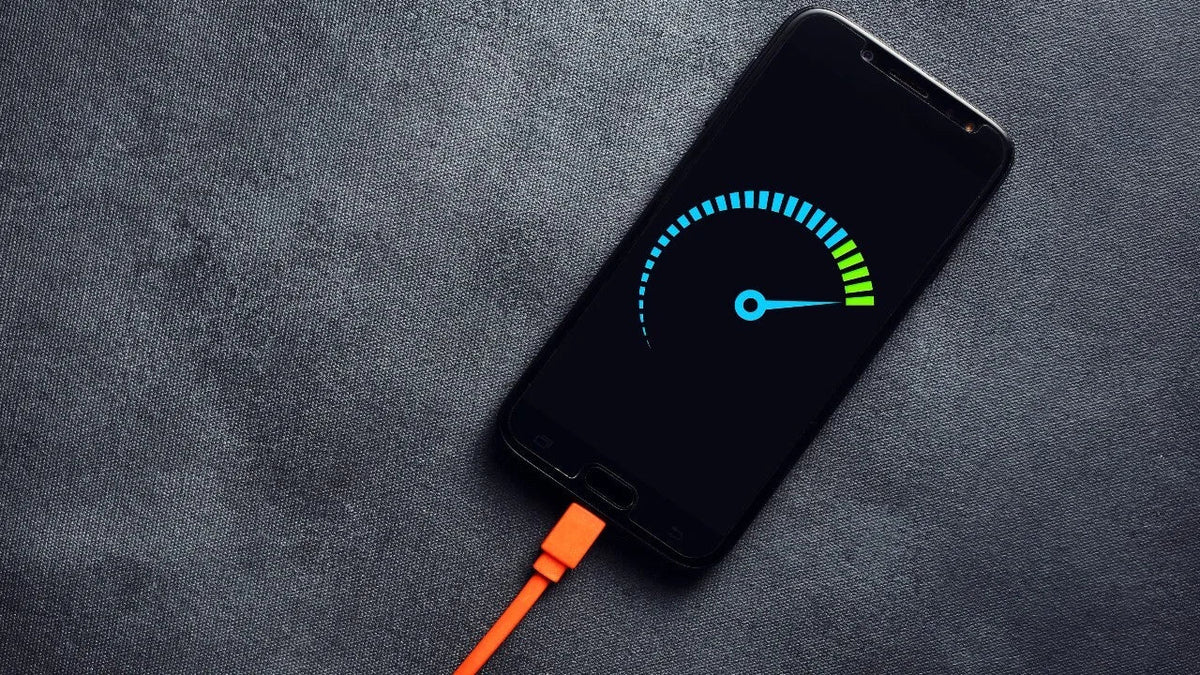
Fast charging has become one of the most important features people look for when buying a new smartphone. Instead of waiting hours for the battery to recharge, many modern phones can recover a significant amount of power in a relatively short time.
But as charging speeds have increased from 20W and 25W to 45W, 65W, and beyond, an important question has become increasingly common: Does fast charging damage your battery in the long run?
The short answer is: using the fast-charging technology your phone was designed to support does not automatically damage the battery. Modern smartphones include systems that manage power, temperature, and the charging process itself. However, that does not mean the way you charge your phone has no effect on battery health.
Excessive heat, incompatible or low-quality chargers and cables, keeping the battery at a high charge level for extended periods, and certain habits while charging can all affect battery health over time.
So, if you use fast charging every day, the goal is not necessarily to avoid it. The better approach is to understand how to use fast charging properly while protecting your battery as much as possible.
Does Fast Charging Really Damage the Battery?
Not necessarily.
Most modern smartphones use lithium-ion batteries, which gradually degrade with use whether you rely on fast charging or not. As the battery goes through charge cycles and ages, its ability to hold the same amount of energy it could when new gradually decreases.
That means a decline in battery health after extended use is normal and cannot automatically be blamed on fast charging alone.
When a phone is designed to support fast charging and is used with a compatible charger and cable, its battery management system controls the amount of power being delivered while monitoring factors such as battery level and temperature.
One factor that deserves particular attention, however, is heat. Repeated exposure to excessive temperatures can accelerate battery degradation over time.
Put simply:
Fast charging itself is not necessarily the problem, but excessive heat and poor charging habits can affect your battery's lifespan.
How Does Fast Charging Work on Your Phone?
To understand how fast charging affects battery health, it helps to clear up one common misconception: your phone does not necessarily receive the charger's maximum power throughout the entire charging process.
If your smartphone supports 45W charging, for example, that does not mean its battery continuously receives 45W from 0% all the way to 100%.
The phone's power management system adjusts charging throughout the process based on factors such as battery level, temperature, and the condition of the device.
Why Doesn't Your Phone Charge at Maximum Speed All the Time?
Charging is often faster when the battery level is low, while the amount of power the device accepts changes as charging progresses.
As the battery gets closer to full capacity, charging may become slower. This is one reason you might notice that charging from a low battery level to 50% can feel much faster than completing the final part of the charge to 100%.
So, when a phone advertises support for 45W or 65W charging, think of that figure as the maximum charging power the device can support under certain conditions, rather than a constant charging rate maintained throughout the entire process.
What Actually Affects Your Phone Battery's Lifespan?
If you want to preserve your battery for as long as possible, it is better to look at the entire charging process instead of focusing only on whether you use fast charging.
Several factors can affect long-term battery health.
High Phone Temperature
Heat is one of the most important factors to pay attention to while charging.
It can be normal for a phone to become somewhat warm while charging, particularly when fast charging is being used. However, significant and repeated overheating should not be ignored.
Your phone may become hotter if you charge it in a warm environment, use demanding applications or games while charging, or place it somewhere that prevents heat from dissipating properly.
If your phone becomes unusually hot, reduce intensive usage and allow the device to cool down.
Keeping Your Phone at 100% for Long Periods
Charging your phone to 100% when you need a full battery is not something you need to worry about every time.
However, repeatedly keeping a lithium-ion battery at a very high state of charge for extended periods can place additional stress on it over time.
This is one reason many modern smartphones include features such as Optimized Charging, Adaptive Charging, and Battery Protection.
Rather than simply preventing the battery from reaching 100%, these features can help manage the charging process and reduce the amount of time the battery spends completely full.
Regularly Draining the Battery to 0%
There is an old belief that you should always use your phone until the battery reaches 0% before charging it back to full.
Modern smartphone batteries do not require this routine.
You do not need to wait until your battery is completely empty every time before connecting the charger. You can recharge your phone when needed without turning the 0%-to-100% cycle into a daily rule.
Heavy Phone Usage While Charging
Replying to a message or briefly browsing the internet while charging is not the main concern.
The bigger issue is performing activities that consume significant power and generate additional heat, such as playing demanding games for long periods or running intensive applications while the phone is charging.
In this situation, the phone is consuming significant power while also trying to charge, potentially increasing its temperature.
If your device is already hot while charging, it is better to avoid intensive use until its temperature drops.
Using an Incompatible Charger or Cable
Do not make wattage the only factor you consider when choosing a charger.
The charger and cable should be reliable and compatible with your phone and its charging technology. The cable should also be capable of handling the required power.
If you are looking for suitable options, browse chargers and cables on Cart and compare wattages and specifications before choosing.
Is Heat More Harmful to the Battery Than Fast Charging?
Instead of focusing only on the question, "Should I use fast charging?", it is also useful to ask: How hot does my phone get while charging?
Temperature management plays an important role in maintaining battery health.
Fast charging can generate heat, but modern smartphones use different systems to manage both temperature and power. If the device becomes too hot, the phone may temporarily reduce charging speed.
This is one reason your phone may sometimes fail to reach the charging speed you expect when the device is already hot.
The goal is not for your phone to remain completely cool throughout charging. A certain amount of warmth can be normal.
What deserves more attention is excessive or repeated overheating.
Can a 45W or 65W Charger Damage Your Phone Battery?
The wattage printed on the charger does not, by itself, determine how much power your phone will receive.
If you use a reliable and compatible 65W charger with a smartphone that can only take advantage of 25W charging, the charger does not simply force 65W into the device.
Compatible phones and chargers communicate to determine an appropriate power level based on their capabilities and supported charging technologies.
For this reason, buying a charger with a higher maximum wattage than your phone supports does not automatically mean it will damage the battery. At the same time, it will not make your phone charge faster than the maximum rate the device can support.
If you are unsure about the right charging wattage for your phone, read our guide on How Many Watts Does Your Phone Need for Fast Charging? to understand the differences between 20W, 25W, 45W, and 65W chargers and how to choose the right option.
You can also browse PD & Fast Chargers on Cart and compare different wattages and specifications.
Does Using Fast Charging All the Time Reduce Battery Lifespan?
Every smartphone battery gradually degrades with use. Therefore, if your battery capacity decreases after years of use, that does not mean fast charging was necessarily the only cause.
Battery lifespan is affected by several factors, including charging cycles, temperature, how you use your phone, and how much time the battery spends at a high state of charge.
If your phone supports fast charging and you use compatible charging equipment, there is generally no practical reason to avoid the feature completely simply because you are worried about battery degradation.
At the same time, if you do not need fast charging in a particular situation, you do not have to use the maximum charging speed every time.
The more useful approach is to focus on temperature management, compatible charging equipment, and the battery protection features available on your phone.
Is It Better to Charge Your Phone Only to 80%?
You may have noticed that some modern smartphones provide an option to limit charging to around 80%.
The idea behind this feature is to reduce the amount of time the battery spends at a high state of charge, which can help support long-term battery health.
Do You Always Need to Stop Charging at 80%?
No.
If you need a full battery because you are going to spend a long day away from a charger, charging your phone to 100% makes sense.
If your phone spends most of the day near a power source and you do not regularly need its full battery capacity, using an 80% charging limit can be a practical option.
It is better to think of the 80% limit as a battery-health tool rather than a strict rule that prevents you from using the final 20% of your battery.
Does Charging Your Phone Overnight Damage the Battery?
Leaving your phone connected to a charger overnight does not mean the battery continues receiving maximum power without interruption until morning.
Modern smartphones include charging management systems, while some devices also provide optimized or adaptive charging features that learn your usage patterns and manage when the battery reaches a full charge.
For example, a phone may delay the final stage of charging until closer to your usual wake-up time rather than keeping the battery at 100% for several hours.
If you regularly charge your phone overnight, check whether your device provides Optimized Charging or Adaptive Charging and consider enabling it.
Is Wireless Charging or Fast Charging Better for Battery Health?
You cannot determine which option is better for battery health simply by comparing "wireless" with "wired."
In both cases, temperature management, charger quality, and usage conditions are important.
Wireless charging is convenient, but it can generate additional heat under certain conditions. Wired fast charging can also increase the temperature of the device.
Instead of choosing a charging method purely because you are afraid of damaging the battery, pay attention to your phone's temperature and use reliable, compatible charging equipment.
How Do PD, PPS, and Quick Charge Affect Battery Health?
Wattage is not the only factor involved in fast charging.
Technologies such as USB Power Delivery (PD), Programmable Power Supply (PPS), and Quick Charge (QC) help compatible chargers and devices manage and deliver power according to supported levels.
This is why two chargers can have the same wattage rating but provide a different charging experience with the same phone.
If you want to understand these technologies in more detail, read our guide on PD vs. PPS vs. Quick Charge to learn how popular fast-charging technologies work and how to choose the right one for your phone.
Once you know which charging technology your device requires, browse PD & Fast Chargers on Cart to compare compatible options.
How Can You Use Fast Charging While Protecting Your Battery?
You do not necessarily have to choose between the convenience of fast charging and taking care of your battery. A few practical habits can help you use fast charging more effectively.
Use a Reliable and Compatible Charger
Do not choose a charger simply because it has the highest wattage.
Check your phone's maximum supported charging power and charging technology, then choose a charger that matches those requirements.
Use a Cable That Supports the Required Charging Power
You may have a fast charger and a compatible smartphone but still fail to achieve the expected charging performance because of the cable.
Make sure your cable supports the power and specifications your device requires. You can browse charging cables on Cart and compare options according to connector type and charging power.
Avoid Excessive Heat
Do not leave your phone charging inside a hot car or under direct sunlight, and make sure the device has enough ventilation to release heat.
If your phone becomes unusually hot, give it some time to cool down.
Reduce Intensive Use While Charging
This is particularly important if the phone is already getting hot.
Running a demanding game while fast charging can generate more heat than simply leaving the phone to charge without intensive use.
Enable Battery Protection Features
If your phone provides features such as Adaptive Charging, Optimized Charging, or Battery Protection, consider using them to help manage the charging process.
Use the 80% Limit When It Fits Your Routine
If your phone provides this feature and you do not need a completely full battery every day, an 80% charging limit may be useful.
But there is no reason to worry if you need to charge to 100% for a long day.
Don't Let Battery Health Stop You From Using Your Phone
Battery health matters, but your smartphone is designed to be used.
You do not need to monitor every percentage point or immediately unplug the charger whenever the battery reaches a particular number.
Instead, focus on the factors that matter more, such as excessive heat, charger and cable quality, and the battery protection tools built into your phone.
When Should You Worry About Your Phone Getting Hot While Charging?
Some warmth during fast charging does not necessarily indicate a problem, particularly when higher charging power is being used.
However, pay attention if your phone becomes extremely hot on a regular basis, repeatedly displays temperature warnings, or frequently stops charging because of excessive heat.
You should also take visible physical changes seriously.
If you notice that the phone is changing shape or the battery appears swollen, stop charging and using the device and have it inspected by a qualified repair professional. Do not attempt to repair or puncture a swollen battery yourself.
Should You Turn Off Fast Charging to Protect Your Battery?
For most users, there is no need to completely disable fast charging if the smartphone was designed to support it and you are using compatible charging equipment.
Fast charging exists to be useful when you need to restore a significant amount of battery power in a short time.
If you are about to leave home and your battery is low, use it.
If your phone will remain on your desk for several hours and you do not need to charge quickly, there is also nothing wrong with using a slower charging option when it is available and convenient.
The point is not that one method is always "good" and the other is always "bad." Instead, choose the charging method that fits your situation while avoiding excessive heat and unreliable charging equipment.
Frequently Asked Questions About Fast Charging and Battery Health
Does Fast Charging Weaken the Battery?
Compatible fast charging does not automatically weaken your phone battery. All rechargeable batteries gradually degrade with use, while factors such as heat, charging cycles, and usage habits can influence how quickly that degradation occurs.
Does Fast Charging Reduce Battery Lifespan?
Fast charging alone should not be treated as the sole cause of battery degradation. Temperature management, battery condition, charging cycles, and everyday charging habits all play important roles.
Can a 65W Charger Damage My Phone?
If the charger is reliable and compatible, its 65W maximum output does not mean your smartphone will automatically receive the full 65W. The phone charges according to the power levels and charging technologies it supports.
Does Charging Your Phone to 100% Damage the Battery?
Charging to 100% when you need the full capacity does not mean you are immediately damaging your battery. However, reducing the amount of time the battery remains at a very high state of charge may help support its long-term health.
Is It Better to Charge Your Phone Only to 80%?
An 80% charging limit can be useful for people who want to prioritize long-term battery health, but it is not mandatory. You can still charge to 100% when you need the longest possible battery life during the day.
Is It Bad to Leave Your Phone Charging Overnight?
Modern smartphones manage the charging process automatically, and some devices provide Optimized or Adaptive Charging to reduce the amount of time the battery remains completely full. If you regularly charge overnight, enabling these features can be useful.
Does Using Your Phone While Charging Damage the Battery?
Light use is not necessarily a problem. However, demanding games and applications can increase power consumption and phone temperature while charging. Excessive heat is the factor you should pay particular attention to.
Is It Normal for a Phone to Get Hot During Fast Charging?
Some warmth can be normal. However, excessive heat or repeated temperature warnings should not be ignored.
Do You Have to Use the Original Charger?
Not necessarily. The charger does not always have to come from the same manufacturer as your phone, but it should be reliable and compatible with your device's charging specifications and required charging technology.
When Should You Replace Your Phone Battery?
If battery performance has noticeably declined, your phone no longer lasts as long as expected, or you experience repeated battery-related problems, it may be worth having the battery inspected.
If the battery is swollen, stop using the device and seek professional service.
Conclusion
So, does fast charging damage your battery? Using the fast-charging technology your smartphone is designed to support does not automatically mean you are damaging the battery every time you plug it in.
Instead of worrying about fast charging itself, focus on the factors you can control: avoid excessive heat, use reliable and compatible chargers and cables, enable battery protection features, and avoid intensive use when your phone is already hot while charging.
Most importantly, choose your charger according to what your phone actually needs rather than simply buying the highest wattage available.
Looking for the right charger or cable for your device? Browse Cart's chargers and cables collection and compare charging wattages and specifications to find an option that matches your phone and the way you use it.