When you're getting into content creation, it's easy to assume that the camera should be your first big investment. But for most beginners, the phone they already own is more than capable of getting them started.
The problems usually show up somewhere else.
Your footage is shaky. Your voice sounds distant. The lighting isn't doing you any favors. Or your battery dies halfway through a day of shooting.
That's where the right accessories make a difference.
You don't need to turn your room into a professional studio. Every piece of gear you buy should solve a specific problem: a tripod keeps the frame steady, a microphone makes your voice easier to hear, a light gives you more control over the image, and a power bank keeps you shooting when there's no outlet nearby.
So if you're looking for the best mobile content creator accessories, don't start by asking:
"What gear should I buy?"
A much better question is:
"What's currently holding my content back?"
Just Getting Started? Here's What You Actually Need
You don't need a gimbal, several RGB lights, and a phone cage on day one.
For most creators, a much more sensible starting point is:
Tripod + Microphone + Light
Those three accessories address three of the most common problems in smartphone video: shaky footage, poor audio, and inconsistent lighting.
From there, you can build your setup around the way you actually shoot. A power bank becomes useful when you're regularly filming away from home. A gimbal starts making sense when movement becomes part of your videos. External storage becomes relevant once video files begin taking over your phone.
|
Priority |
Accessory |
What It Helps With |
|
1 |
Tripod |
Stable framing and less camera shake |
|
2 |
Microphone |
Clearer audio |
|
3 |
LED Light |
Better control over lighting |
|
4 |
Power Bank |
Longer shooting sessions |
|
5 |
Phone Mount |
More shooting angles |
|
6 |
Gimbal |
Smoother moving shots |
|
7 |
Storage |
Managing large video files |
That order isn't universal. If you're shooting travel vlogs, for example, a gimbal and power bank may be far more useful than a large light you won't want to carry around.
Want to start without buying every accessory separately?
Check out the BOYA BY-VG350 Smartphone Video Kit on Cart, which combines several smartphone content creation essentials in one kit.
Choose Your Gear Around the Content You Make
The gear someone needs for filming Reels in a bedroom isn't the same gear a travel creator needs while walking through a city.
Buying equipment before thinking about how you'll actually use it is one of the easiest ways to waste your budget.
|
Content Type |
Useful Starter Setup |
|
Reels & TikTok |
Tripod + Mic + Light |
|
Vlogging |
Gimbal + Wireless Mic + Power Bank |
|
YouTube |
Tripod + Mic + Lighting |
|
Interviews |
Wireless Mic + Tripod + Light |
|
Product Videos |
Tripod + Light + Phone Mount |
|
Food Content |
Overhead Mount + Light |
|
Live Streaming |
Stand + Mic + Light + Charger |
|
Travel Content |
Gimbal + Compact Tripod + Mic + Power Bank |
Figure out what you're going to shoot first. Once you know that, deciding what belongs in your setup becomes much easier.
1. Tripod: One of the First Accessories Worth Buying
If you regularly film yourself, a tripod will probably become one of the most-used pieces of gear you own.
Instead of balancing your phone against books, cups, or whatever happens to be nearby, a tripod gives you a repeatable frame and much better control over height and camera angle.
It's particularly useful for Reels, talking-head videos, product reviews, tutorials, and live streams.
What Should You Look for in a Smartphone Tripod?
Height matters, but don't make it your only criterion.
Check how stable the legs are, how securely the phone holder grips your device, whether you can switch easily between vertical and horizontal shooting, and how much freedom you have to adjust the angle.
Portability matters too. If you're constantly shooting in different locations, check the weight and folded size. A great tripod that you hate carrying around will probably spend most of its life at home.
One option available on Cart is the Jmary KP-2201, which extends up to 171 cm and comes with a phone holder and carrying bag, along with a pan head and ring-light mount.
That makes it particularly useful for creators who mostly shoot stationary content but still want flexibility in camera height.
Need more control over your framing and phone height?
Explore the Jmary KP-2201 Tripod on Cart.
2. Microphone: Bad Audio Gets Noticed Fast
People may tolerate lighting that isn't perfect. If they struggle to hear what you're saying, they're much more likely to leave.
Traffic, air conditioning, room echo, background conversations, and simply standing too far from the phone can all hurt your recording—even when your smartphone has an excellent camera.
That's why a microphone is often one of the first upgrades worth making.
Wireless or Wired Microphone?
If you move around while filming, a wireless microphone gives you much more freedom. It's a natural fit for vlogs, interviews, demonstrations, and Reels where you're standing some distance from the phone.
If you're usually sitting close to the camera, however, a decent wired lavalier microphone may do everything you need without the added cost and charging requirements of a wireless system.
A shotgun microphone can also make sense in setups where you want to capture sound primarily from the direction the camera is facing.
Whatever style you choose, don't overlook the connector.
Does your phone use USB-C or Lightning? Does the microphone connect directly, or will you need an adapter?
The BOYA BY-WM4 Pro-K3, for example, is designed for compatible Lightning devices. It uses a 2.4GHz wireless connection and has a listed operating range of up to 60 meters in an open environment.
That's why "smartphone microphone" isn't enough information on its own. Compatibility with your actual device matters.
Shoot with a compatible Lightning device and need more freedom to move?
Take a look at the BOYA BY-WM4 Pro-K3 Wireless Microphone on Cart.
3. Lighting: Sometimes It Matters More Than a New Phone
Before blaming your phone camera for a disappointing image, change the lighting and see what happens.
Good lighting gives the camera more to work with. It can improve how your face looks, separate you from the background, and give you more control over the overall feel of the shot.
But that doesn't mean every creator needs a ring light.
Ring Lights
Ring lights work well for talking-head videos, beauty content, live streams, and other setups where the camera sits directly in front of you.
LED Video Lights
An LED video light is usually more flexible. You can place it off to one side, use it as fill light, or reposition it depending on the scene.
RGB Lights
RGB lights are useful when you want to add color to a background or create a specific visual mood. They're fun and sometimes genuinely useful, but they're rarely an essential first purchase.
If you'd rather combine several functions in one accessory, the Lenyes LPH101 works as a tripod, selfie stick, and ring light, with three lighting modes and a Bluetooth remote.
For creators who mostly shoot Reels, live content, or talking-head videos, that can be more practical than building a larger setup.
Want your light and phone stand in one piece of gear?
See the Lenyes LPH101 Tripod & Selfie Stick with Ring Light on Cart.
4. Gimbal: Do You Need One, or Does It Just Look Professional?
Gimbals are tempting when you're building your first creator setup. They look professional, and smooth moving footage is appealing.
But not every creator needs one.
The difference between a tripod and a gimbal is straightforward:
A tripod keeps the phone stationary.
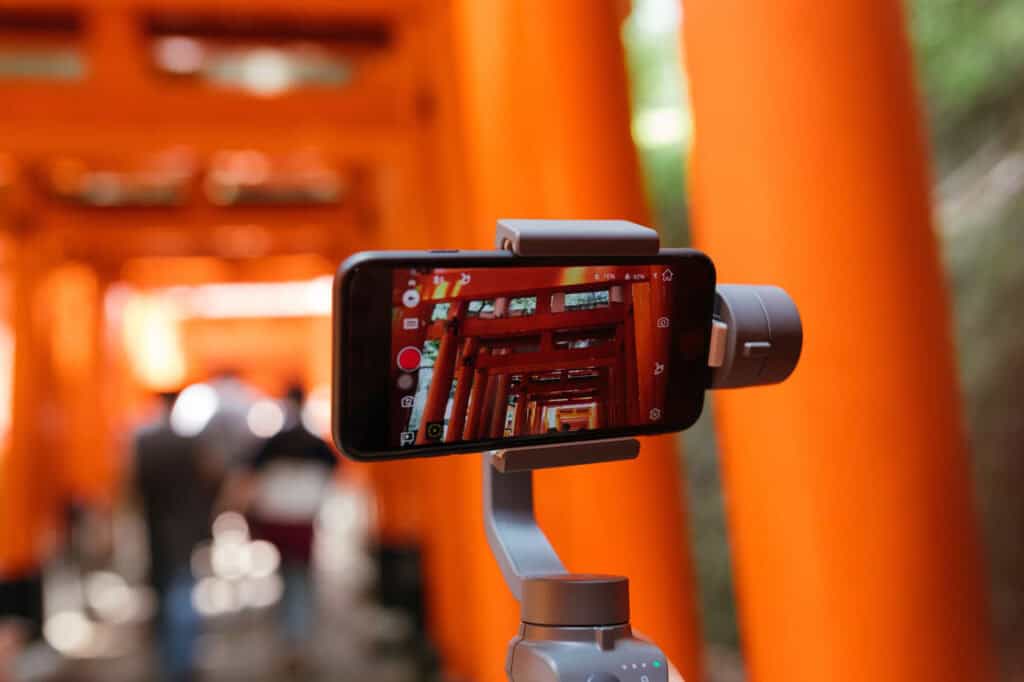
A gimbal helps keep footage smoother while the phone is moving.
If you shoot travel content, walking shots, events, real estate tours, or vlogs with a lot of camera movement, a gimbal can be a worthwhile investment.
If most of your videos are filmed while you're sitting in front of the camera, put that money toward a better microphone or light first.
The DJI Osmo Mobile 7P, available on Cart, offers three-axis stabilization and includes an integrated extension rod and tripod, along with tracking capabilities.
It's the kind of accessory that makes more sense when movement is genuinely part of your shooting style—not simply because every creator setup seems to have one.
Regularly shoot vlogs and walking footage?
Explore the DJI Osmo Mobile 7P on Cart.
5. Selfie Stick: It's Not Just for Selfies
If you film yourself frequently, especially while travelling or shooting outdoors, a selfie stick can give you angles that aren't always convenient with a conventional tripod.
For creators, the most useful models are often those that double as a selfie stick and tripod.
The YESIDO SF13, for example, extends to 158 cm, converts into a tripod, and includes a detachable Bluetooth remote.
That makes it useful for solo creators who shoot travel content, Reels, or other content where portability matters.
Film alone and need something easy to carry?
Check out the YESIDO SF13 Selfie Stick on Cart.
6. Power Bank: You Appreciate It the Moment Your Battery Dies
Recording video can drain a phone battery much faster than normal daily use, especially when you're running the camera for long periods, keeping screen brightness high, and shooting at higher resolutions.
And your phone may not be the only thing that needs power. A microphone, portable light, or gimbal may need charging as well.
If you regularly shoot away from home, a power bank quickly becomes less of an optional extra.
10,000mAh or 20,000mAh?
If you mainly need something for everyday use and portability matters, a 10,000mAh power bank is often easier to carry.
For longer shooting days or a setup with several devices, 20,000mAh may be more practical, although it will generally mean carrying something larger and heavier.
Don't choose by capacity alone. Also look at charging output, USB-C connectivity, Power Delivery support, number of ports, size, and weight.
A larger number on the box isn't automatically the better choice if the power bank becomes too inconvenient to carry.
7. Fast Charger and Spare Cable: Boring Until You Need Them
As your creator setup grows, so does the list of things you need to charge.
Your phone, microphone, gimbal, light, and power bank can all end up competing for the same charger.
A multi-port GaN charger can be a practical way to reduce the number of adapters in your bag, as long as its power output and ports match your devices.
Keep at least one spare charging cable in your kit as well.
It's a cheap piece of equipment compared with a phone or gimbal, but a damaged or forgotten cable can make an entire accessory useless for the day.
Also remember that not every USB-C cable supports the same charging or data-transfer capabilities. If you're going to use the cable for moving large video files as well as charging, check both.
8. Headphones for Editing and Checking Audio
If you edit videos on your phone, don't rely entirely on the phone's built-in speaker when reviewing audio.
A good pair of headphones makes it easier to catch background noise, check whether the voice-over is sitting properly above the music, and hear small problems that might be less obvious through a phone speaker.
For editing, don't choose headphones purely because they have the strongest bass.
Focus more on clarity and comfort, particularly if you spend long periods editing.
9. Storage: The Problem That Appears Once You Start Shooting Regularly
Your phone's storage can feel enormous until you start creating content every week.
Reels, B-roll, multiple takes, exports, and high-resolution video files add up surprisingly quickly.
Build a simple system for moving and backing up your files before storage becomes an emergency.
Depending on your phone and workflow, that might mean using an external SSD, USB-C flash drive, cloud storage, or regularly transferring footage to a computer.
The important thing is not to let your phone become the only place where important original footage exists.
Before buying external storage, make sure it works properly with your phone and the file-transfer options your device supports.
10. Remote Shutter: Small, Cheap, and Very Useful for Solo Creators
If every video starts with you pressing record and running back into position, you'll understand the appeal of a remote shutter immediately.
It lets you control the phone from a distance and can be useful for full-body shots, product photography, group photos, and certain types of Reels.
Before buying one separately, check the gear you already own. Many tripods and selfie sticks include a Bluetooth remote in the box.
11. Phone Cage: Wait Until You Know Why You Need One
A phone cage can make a smartphone setup look very serious, but that's not a good enough reason to buy one.
Its real value appears when you need to mount several accessories around your phone at the same time, such as a microphone, LED light, handles, or additional mounts.
If you can't yet explain what you're going to attach to the cage, you probably don't need it.
That's a useful rule for creator gear in general:
Don't buy an accessory first and then try to invent a reason to use it.
Best Mobile Content Creator Accessories Available on Cart
Rather than filling your bag with several accessories that do essentially the same job, it makes more sense to choose products that solve different parts of your workflow.
Here are several options available on Cart for different types of creators.
BOYA BY-VG350 Smartphone Video Kit
The BOYA BY-VG350 is a useful option for someone who wants a kit rather than buying every part of a starter setup separately.
It combines a BOYA BY-MM1 microphone, LED light, smartphone clamp, and tripod/grip, along with cables for compatible devices and a carrying case.
That makes it relevant for vlogging, interviews, YouTube videos, and general social media content.
Best for: A new creator who wants several of the basic tools in one kit.
We've linked to this product earlier in the guide, so there's no need to repeat the same product link here.
BOYA BY-VG330 Universal Smartphone Video Kit
The BOYA BY-VG330 is another compact option that combines a microphone, LED light, phone clamp, and hand grip with a tripod base.
It's a practical alternative for creators who want a smaller kit they can carry around instead of packing several separate accessories.
Best for: Beginners and creators who value portability.
Want a compact starter kit for mobile filming?
Explore the BOYA BY-VG330 Universal Smartphone Video Kit on Cart.
Jmary KP-2201
With a maximum height of 171 cm, a phone holder, pan head, and carrying bag, the Jmary KP-2201 is geared toward stationary filming.
Best for: Talking-head videos, product content, tutorials, and other fixed-camera setups.
DJI Osmo Mobile 7P
The DJI Osmo Mobile 7P uses three-axis stabilization and combines its gimbal functionality with an integrated tripod and extension rod.
Best for: Vlogging, travel videos, walking shots, and creators who move the camera frequently.
Lenyes LPH101
The Lenyes LPH101 combines a tripod, selfie stick, ring light, and Bluetooth remote.
Best for: Reels, live streams, beauty content, and simple talking-head setups.
BOYA BY-WM4 Pro-K3
This wireless microphone system is designed for compatible Lightning devices and offers a listed range of up to 60 meters in open conditions.
Best for: Interviews, vlogs, and creators using a compatible Apple device who need more freedom to move.
YESIDO SF13
The YESIDO SF13 combines a selfie stick and tripod, extends to 158 cm, and includes a Bluetooth remote.
Best for: Solo creators, travel content, and creators who want a portable support option.
Quick Comparison of Mobile Content Creation Gear
|
Product |
Main Function |
Best For |
|
BOYA BY-VG350 |
All-in-One Creator Kit |
Starting from scratch |
|
BOYA BY-VG330 |
Compact Creator Kit |
Beginners and portability |
|
Jmary KP-2201 |
Tripod |
Stationary content |
|
DJI Osmo Mobile 7P |
Gimbal |
Vlogging and movement |
|
Lenyes LPH101 |
Tripod + Light |
Reels and live streams |
|
BOYA BY-WM4 Pro-K3 |
Wireless Microphone |
Interviews and vlogging |
|
YESIDO SF13 |
Selfie Stick + Tripod |
Travel and solo filming |
What Should You Buy First on a Limited Budget?
Instead of dividing creator setups into rigid "budget," "mid-range," and "professional" categories, spend according to the problem you actually have.
Shaky video? Buy a tripod.
Distant or noisy audio? Start with a microphone.
Dark or inconsistent image? Improve your lighting.
Long days away from a charger? Get a power bank.
Constant camera movement? That's when a gimbal becomes worth considering.
The best setup isn't the one with the most gear. It's the one where every piece earns its place.
What's the Right Setup for Different Types of Content?
Reels and TikTok
For content filmed from a fixed position, start with:
Tripod + Mic + Light
If camera movement becomes a regular part of your videos, add a gimbal later.
Vlogging
Portability matters much more here.
A practical setup is:
Gimbal + Wireless Mic + Power Bank
The lighter and easier your gear is to carry, the more likely you are to actually use it.
YouTube With a Smartphone
For stationary YouTube videos, start with:
Tripod + Mic + Key Light
As your library of footage grows, add a storage and backup solution that fits your workflow.
Food Content
A costly gimbal probably won't be your first priority.
You'll often get more value from:
Overhead Mount + Good Light
The right angle and controlled lighting can matter far more for this type of content.
Product Videos
Start with:
Stable Tripod + Adjustable Light + Phone Holder
Once you know which shots you struggle to create, add more specialized gear.
Travel Content
Keep the setup compact:
Compact Tripod + Gimbal + Wireless Mic + Power Bank
Every unnecessary piece of weight feels heavier after a few hours of walking.
What Gear Can You Skip as a Beginner?
If you're just getting started, you probably don't need a full phone cage, multiple tripods, several RGB lights, several microphones, or an expensive gimbal for content that's almost entirely stationary.
All of those things can be useful later.
The point is that later should arrive because your content requires them, not because somebody else's desk setup looked good on social media.
Every part of your early budget should solve a clear problem.
That's far more useful than making your setup look professional while half of it sits unused.
Try These Before Buying More Gear
Not every filming problem requires another purchase.
Clean your camera lens before recording. Move closer to a window and see whether natural light solves your lighting problem. Record somewhere quieter before assuming you need aggressive noise reduction. If you don't own a tripod yet, use a safe, stable surface to test your framing.
Pay attention to composition, the background, and the distance between you and the camera.
Avoid unnecessary digital zoom, and don't automatically record at the highest resolution your phone offers simply because the option exists.
Choose recording settings that make sense for where the content will be published, how much storage you have, and how you edit.
Sometimes changing the way you shoot improves the result more than buying another accessory.
Checklist Before Buying Mobile Content Creation Accessories
Before adding anything to your cart, ask yourself:
-
What type of content do I create?
-
What specific problem will this accessory solve?
-
Is it compatible with my phone?
-
Do I need USB-C or Lightning?
-
Will it support the size and weight of my phone?
-
Will I mainly use it indoors or on the go?
-
Is the battery life long enough for my shoots?
-
Is it easy to carry?
-
Will I use it regularly?
-
Do I already own something that does the same job?
If you can't answer question two, the accessory probably isn't a priority yet.
Frequently Asked Questions About Mobile Content Creator Accessories
What Equipment Does a Beginner Content Creator Need?
For most beginners, a tripod, microphone, and good light are enough to build a useful starter setup. Add other accessories when your content creates a specific need for them.
What Should a New Content Creator Buy First?
Start with the weakest part of your current videos. If the footage is shaky, buy a tripod. If the audio is poor, start with a microphone. If the image is too dark or inconsistent, improve your lighting first.
Do I Need a Gimbal for Reels?
Not necessarily. If most of your Reels are shot from a fixed position, a tripod will usually be more useful. A gimbal becomes valuable when camera movement is a regular part of your content.
What's the Difference Between a Tripod and a Gimbal?
A tripod holds the phone in a fixed position. A gimbal is designed to reduce visible shake while the phone is moving.
Is a Wireless Microphone Better Than a Wired Microphone?
Not in every situation. Wireless microphones give you more freedom to move, while a wired microphone can be perfectly suitable—and often simpler—when you're recording close to the phone.
Is a Ring Light Enough for Content Creation?
It can be enough for certain types of talking-head, beauty, and live content. However, a separate LED light can offer more control over the direction and shape of the light.
What Size Power Bank Is Best for Content Creators?
A 10,000mAh model can be convenient for lighter everyday use, while 20,000mAh may make more sense for long shooting days or multiple devices. Capacity isn't the only factor, though; also consider output power, ports, size, and weight.
Can You Create YouTube Videos Entirely With a Smartphone?
Yes. Depending on the type of content you make, a smartphone can be used for the entire production process. Audio, lighting, stability, composition, and editing all have a major impact on the final result alongside the phone's camera.
What Equipment Do I Need for Product Videos?
A stable tripod, controllable lighting, and a suitable phone holder are a strong starting point. An overhead mount or remote can be added when your shooting style requires them.
Do Content Creators Need External Storage?
Not necessarily at the beginning. Once you're regularly dealing with large video files, however, having a reliable way to transfer and back up footage becomes much more important.
Conclusion: Build Your Setup Around Your Content, Not Someone Else's Desk
There isn't one universal list of the best mobile content creator accessories.
Someone recording product reviews at a desk has very different needs from a travel vlogger. A food creator has different priorities from someone filming interviews.
If you're just starting, keep it simple:
Stabilize the image. Improve the audio. Fix the lighting.
Then pay attention to the problems that appear as you create more content and buy equipment that solves those problems.
That's how you build a setup that actually improves your work instead of spending money on professional-looking gear that spends most of its time in a bag.
Ready to build your mobile creator setup?
Start with the equipment you'll actually use and explore Cart for gear that fits the way you shoot today. You can always upgrade the rest as your content grows.