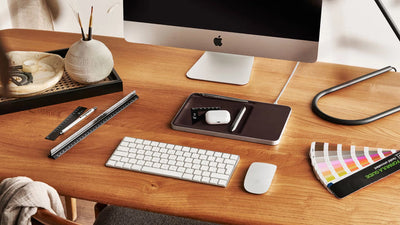
An iPad can become a completely different device depending on the accessories you pair with it. The same tablet can serve as a screen for movies and browsing, a digital notebook for university, a canvas for drawing and design, or even a device you rely on for a significant part of your daily work.
That does not mean you need to buy every accessory compatible with your iPad.
Choosing the best iPad accessories starts with a simple question: what do you actually use your iPad for?
A student taking lecture notes needs a very different setup from a designer. Someone who types for hours will have different priorities from someone who mainly uses an iPad while travelling.
In this guide, we'll look at the iPad accessories that can make a meaningful difference, explain when you actually need a stylus, keyboard, stand, charger, USB-C hub, and other accessories, and highlight several options available from Cart in Jordan.
What Are the Most Important iPad Accessories?
If you have just bought a new iPad, do not treat accessories as a checklist you need to complete. Some are useful for basic protection, while others only become worthwhile for specific types of users.
|
Accessory |
What It Adds to Your iPad |
Best For |
|
Case |
Device protection |
Most users |
|
Screen Protector |
Screen protection |
Most users |
|
Stylus / Apple Pencil |
Writing and drawing |
Students and designers |
|
Keyboard |
Faster, more comfortable typing |
Study and work |
|
iPad Stand |
More comfortable positioning |
Work and entertainment |
|
Charger |
Reliable charging |
Everyone |
|
Power Bank |
Power on the go |
Travel and study |
|
USB-C Hub |
Additional ports and connectivity |
Work and advanced users |
|
Headphones |
Focus, calls, and entertainment |
Most users |
|
External Storage |
Managing large files |
Photographers and creatives |
The goal is not to own the largest collection of accessories. The best iPad setup is the one that makes the things you do every day easier.
Before Buying Any Accessory, Know Your Exact iPad Model
This step is more important than choosing a brand.
The name "iPad" covers several product lines, generations, and sizes, including the iPad, iPad Air, iPad mini, and iPad Pro. Even within the same family, dimensions, ports, stylus compatibility, and keyboard support can vary between generations.
Before buying a case, keyboard, or stylus, check:
-
Your iPad model
-
Generation
-
Device size
-
Charging port
-
Stylus compatibility
-
Camera and button positions
-
Magnetic attachment support, when relevant
A package that simply says "For iPad" is not enough.
This is particularly important for keyboard cases and protective covers. Cart, for example, offers keyboard options designed for specific iPad models, including different generations of the standard iPad, iPad Air, and iPad Pro.
Check compatibility before choosing based on design alone.
Explore iPad keyboards on Cart
1. iPad Stylus: Where the Difference Starts for Writing and Drawing
A stylus can change the way you use an iPad more than almost any other accessory—but only if your workflow actually benefits from one.
For students, a stylus can be used to take lecture notes, write directly on PDFs, solve problems, annotate documents, and organize study materials.
For artists and designers, it can turn the iPad into a much more practical creative tool for sketching, illustrating, editing, and working inside creative applications.
Even in an office environment, a stylus can be useful for signing documents and adding quick handwritten notes.
Apple Pencil vs. Third-Party Stylus
There is no single answer that works for everyone.
Apple Pencil models are designed to integrate closely with compatible iPads, while third-party styluses can be practical alternatives for note-taking, writing, drawing, and general everyday use.
Instead of choosing based on the name alone, look at the features that matter to you:
-
Palm rejection
-
Tilt sensitivity
-
Pressure sensitivity, when required
-
Charging method
-
Responsiveness
-
Magnetic attachment
-
Battery life
-
Compatibility with your specific iPad
For example, the ACEFAST V3 Stylus Pencil for iPad offers magnetic wireless charging, low-latency performance, and a Bluetooth battery-level display.
Use your iPad for notes or drawing every day?
Explore the ACEFAST V3 Stylus Pencil on Cart
If you prefer Apple's own option, the Apple Pencil (2nd Generation) is designed for writing, drawing, and annotating documents with compatible iPads.
Compatibility is especially important here, so make sure your exact iPad model supports this Apple Pencil generation before ordering.
View Apple Pencil (2nd Generation) on Cart
2. iPad Keyboard: When Typing Goes Beyond a Quick Message
Typing directly on the iPad screen works well for short messages and quick searches. It becomes less comfortable when you need to write a university paper, prepare a report, work on documents, or respond to dozens of emails.
That is when a keyboard becomes one of the best iPad accessories for productivity.
A physical keyboard can make your iPad more practical for:
-
Writing research papers
-
Preparing documents
-
Managing emails
-
Taking lecture notes
-
Remote work
-
Long writing sessions
Keyboard Case vs. Bluetooth Keyboard
The better choice depends largely on where and how you use your iPad.
|
Keyboard Case |
Bluetooth Keyboard |
|
|
Portability |
Excellent |
Depends on size |
|
Device protection |
Yes |
No |
|
On-the-go use |
Excellent |
Good |
|
Screen positioning flexibility |
Depends on design |
Usually better |
|
Desk use |
Very good |
Excellent |
If you carry your iPad to university or work every day, a keyboard case can be particularly practical because it combines several functions in one accessory.
If your iPad stays on a desk most of the time, a separate Bluetooth keyboard may give you more freedom to position the screen and keyboard comfortably.
Cart offers iPad keyboard options from brands including Apple, Belkin, Logitech, WiWU, and Nillkin for different iPad models.
Want to make your iPad more practical for studying and typing?
Explore iPad keyboards available on Cart
3. iPad Case: Choose It for More Than Looks
A case is often one of the first accessories people buy after getting a new iPad, but it is easy to choose one based primarily on color or design.
Protection matters, but a good case can do more than protect the device.
Folio Case
A practical option for everyday use. Depending on the design, it can protect the iPad while also doubling as a stand for watching content or typing.
Rugged Case
A rugged case can make more sense if the iPad is frequently carried around, used in demanding environments, or used by children.
Keyboard Case
A keyboard case combines protection and physical typing, making it particularly useful for students and people who carry their iPad for work.
Magnetic Case
Magnetic cases can provide quick attachment and removal on compatible models and designs.
When choosing a case, look beyond the corners and exterior material. Consider whether it includes a stylus holder, how many stand positions it offers, whether the camera and buttons remain easily accessible, and how much weight it adds to the device.
Cart offers Folio, Magnetic, Keyboard, and other protective cases for different iPad generations and sizes.
Protect your iPad without adding a case that gets in the way of how you use it.
Browse iPad cases and covers on Cart
4. iPad Screen Protector: Protection Is Only Part of the Decision
The iPad's large display means even a small scratch can become annoying, which is why many users prefer installing a screen protector from the beginning.
But protection is not the only factor worth considering.
Tempered Glass
This is the conventional option for users who prioritize everyday screen protection while maintaining a viewing experience close to the original display.
Paper-Like Screen Protector
A paper-like protector is aimed more at people who regularly write or draw with a stylus. Its textured surface is designed to provide more friction as the stylus moves across the display.
Matte Screen Protector
A matte protector can help reduce reflections in certain environments, although you should consider how a particular protector affects display clarity.
Paper-Like vs. Tempered Glass
If you mainly use your iPad for browsing and watching content, display clarity and protection may be your biggest priorities.
If you spend hours taking handwritten notes or drawing, the feel of the stylus against the display may become more important.
There is no single "best" option. The right screen protector depends on how you use your iPad.
5. iPad Stand: A Simple Accessory That Makes More Sense After Hours of Use
Using an iPad flat on a desk is fine for a few minutes. If you spend hours working, attending meetings, following lectures, or watching content, the position of the display becomes much more noticeable.
A stand lets you raise the screen and adjust its angle instead of constantly looking downward.
That makes an iPad stand useful for:
-
Studying
-
Video calls
-
Watching movies and series
-
Using a separate keyboard
-
Following recipes
-
Drawing
-
Desk work
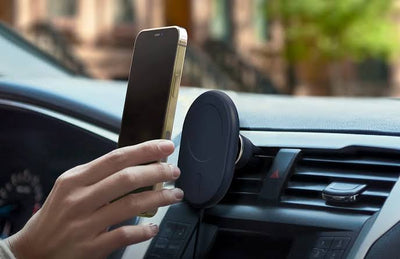
You can find desktop stands, foldable travel stands, car mounts, and adjustable designs that allow you to change both height and viewing angle.
Cart has a dedicated collection of tablet stands and holders designed for different situations.
If your iPad is part of your desk setup, position the screen around you instead of constantly adjusting yourself around the screen.
Explore tablet and iPad stands on Cart
6. iPad Charger: Charging Speed Is About More Than Wattage
It is natural to look for a fast charger, but simply buying the charger with the highest wattage number is not necessarily the right approach.
Actual charging performance depends on what your specific iPad supports, along with the charger and cable you use.
When buying a charger, consider:
-
Appropriate charging output
-
USB Power Delivery support
-
Connector type
-
Cable quality
-
Number of ports if you charge multiple devices
When Does a GaN Charger Make Sense?
GaN chargers can be particularly useful for people who want capable charging in a compact form factor or need multiple ports in one charger.
If you carry an iPad, smartphone, earbuds, and other electronics every day, a good multi-port charger may be more useful than carrying a separate charger for every device.
7. iPad Charging Cable: Do Not Let It Become the Weakest Part of Your Setup
You can buy an excellent charger and then connect it to a cable that does not support the required charging performance.
When choosing an iPad cable, check:
Connector Type + Supported Wattage + Data Transfer + Cable Length + Durability
The cable you need depends on the iPad model you own, so always confirm the device's port before ordering.
If you regularly transfer large files, do not focus exclusively on charging. Data-transfer capabilities may also become an important part of your decision.
8. Power Bank for iPad: When There Is No Outlet Nearby
If you only use your iPad at home, a power bank may not be a priority.
That changes if you are a student spending a full day at university, a professional working from different locations, or a traveler who relies on the iPad for hours at a time.
When choosing a power bank for an iPad, capacity is only part of the equation. Also consider:
-
USB-C Power Delivery
-
Output power
-
Number of ports
-
Size and weight
-
Other devices you plan to charge
A larger capacity is not automatically better.
If you only need emergency backup power, portability may matter more. If you regularly spend an entire day away from a power outlet, your priorities will be different.
9. USB-C Hub: The Accessory That Can Expand What Your iPad Can Do
A casual user who mainly watches videos and browses the web may never need a USB-C hub.
For a photographer, designer, student giving presentations, or professional using an iPad for work, however, a hub can become one of the most useful accessories in the setup.
Depending on the model, a USB-C hub can add connections such as:
-
HDMI
-
USB-A
-
USB-C
-
SD card
-
microSD
-
Ethernet
-
Power Delivery
The TP-Link UH7020C, for example, provides seven ports, including HDMI with output up to 4K@60Hz, SD and microSD card readers, USB-C Power Delivery up to 100W, and USB-C and USB-A data connections. Its listed compatibility also includes iPadOS.
For compatible iPads, that can make it a practical option when you need to connect a display, memory card, or USB device instead of relying on a single port.
Use your iPad for work or file transfers? Expand your connectivity without expanding the number of devices you carry.
View the TP-Link UH7020C 7-in-1 USB-C Hub on Cart
10. Headphones for iPad: Work, Focus, and Entertainment
Headphones may seem like an obvious addition, but the right type depends heavily on what you do with your iPad.
Wireless Earbuds
A convenient choice for lectures, videos, commuting, and everyday calls.
Noise-Cancelling Headphones
Worth considering if you regularly use your iPad in busy environments or while traveling and want to reduce surrounding noise.
Headset With a Microphone
A headset with a capable microphone can be the more practical option if video meetings or online classes are a major part of your day.
Do not choose headphones based on music quality alone if your main use is work meetings. Microphone quality and comfort during long sessions become much more important in that situation.
11. External Storage: Not Essential for Everyone, but Extremely Useful for Some
If your iPad use consists mainly of streaming, browsing, taking notes, and running everyday apps, external storage probably should not be your first accessory.
The situation is different if you work with:
-
Video editing
-
Photography
-
Large design files
-
Files shared between multiple devices
-
Large project backups
In these situations, a USB-C flash drive or external SSD can become an important part of your workflow, depending on the capabilities of your iPad and the apps you use.
A photographer, for example, may use a USB-C hub to access an SD card and then move the files to external storage rather than filling the iPad's internal storage.
12. Mouse or Trackpad: Do You Really Need One With an iPad?
If you use your iPad primarily through touch, a mouse is not essential.
Once you start spending hours working with documents, spreadsheets, browser tabs, and multiple productivity tasks, however, pointer control can make certain tasks more comfortable.
Your setup may eventually look something like this:
iPad + Keyboard + Mouse/Trackpad + Stand
That can make perfect sense for someone building a lightweight workstation. It would be unnecessary for someone who primarily uses an iPad for watching content or drawing.
Once again, your use case should determine the accessory—not the other way around.
Best iPad Accessories Available on Cart
Rather than recommending several products that essentially perform the same job, it makes more sense to choose accessories that address different needs.
ACEFAST V3 Stylus Pencil – For Students and Everyday Writing
If you primarily need a stylus for taking notes, drawing, and annotation, the ACEFAST V3 offers a practical combination of features, including low-latency performance, magnetic charging, and Bluetooth battery display.
Best for: Studying, note-taking, and everyday drawing.
Shop the ACEFAST V3 Stylus Pencil on Cart
Apple Pencil (2nd Generation) – For the Apple Pencil Experience
The Apple Pencil (2nd Generation) is designed for precise writing, drawing, and document annotation on compatible iPads.
Because Apple Pencil compatibility varies significantly between iPad models, make sure your exact device supports this generation before ordering.
Best for: Drawing, design, note-taking, and users looking for a compatible Apple Pencil.
Shop Apple Pencil (2nd Generation) on Cart
Powerology Smart iPad Pencil – For Drawing That Requires More Control
If drawing is a major part of how you use your iPad, the Powerology Smart iPad Pencil offers Palm Rejection along with Tilt and Pressure Sensitivity.
Those features are more relevant to creative users who need greater control over their strokes than to someone who simply wants an alternative way to navigate the screen.
Best for: Digital drawing and design.
If your stylus is a creative tool rather than simply an alternative to your finger:
View the Powerology Smart iPad Pencil on Cart
iPad Keyboards – For Students and Professionals
Recommending one keyboard for every iPad would not make sense because compatibility varies between models.
Cart offers options for different devices, including Apple Magic Keyboard, Belkin Pro Keyboard Cases, Logitech Slim Folio, WiWU, Nillkin, and other choices.
Choose the keyboard only after confirming your exact iPad model.
Best for: Research, writing, studying, and office work.
iPad Cases – For Everyday Protection
Cart offers Magnetic, Folio, Keyboard, and other protective cases for different iPad models, including options from brands such as WiWU, Puloka, and RockRose.
Instead of automatically choosing the thickest case, think about how much protection you actually need and how much weight you are willing to add if you carry your iPad every day.
Best for: Almost every iPad user—as long as you choose the correct model.
TP-Link UH7020C – For Turning USB-C Into a Connectivity Hub
For more advanced users, the TP-Link UH7020C adds HDMI, SD, microSD, USB-A, and USB-C connectivity along with Power Delivery, with iPadOS included in its listed compatibility.
Best for: Work, presentations, photography, file transfers, and connecting supported external displays and devices.
Shop the TP-Link UH7020C on Cart
Best iPad Accessories by Use Case
Choosing accessories becomes much easier when you start with what you actually do on the device.
|
How You Use Your iPad |
Accessories Worth Prioritizing |
|
Studying |
Stylus + Keyboard + Case |
|
Drawing and Design |
Stylus + Suitable Screen Protector + Adjustable Stand |
|
Work |
Keyboard + Mouse/Trackpad + Stand + USB-C Hub |
|
Watching Content |
Stand + Headphones |
|
Travel |
Protective Case + Power Bank + Headphones |
|
Gaming |
Stand + Headphones/Controller, depending on the game |
|
Photography and Editing |
USB-C Hub + External Storage + Stylus |
You do not need to buy the entire setup on day one. Start with the issue that affects you most, then add accessories when a genuine need appears.
Best iPad Accessories for Students
If you bought an iPad for studying, a stylus is often one of the first accessories worth considering.
It lets you take handwritten notes, annotate lectures and PDFs without printing them, solve problems directly on the screen, and organize study material digitally.
A keyboard becomes more important if your degree requires frequent research papers, reports, or other long-form writing.
Then comes a good case for protecting the iPad while commuting, followed by a screen protector that suits the way you use your stylus. A power bank becomes more valuable if you spend long days away from an easily accessible power outlet.
For many students, the priority order could look like this:
Stylus → Case → Keyboard → Screen Protector → Power Bank
That order can change depending on your course and study habits.
Best iPad Accessories for Work
When an iPad becomes part of your working day, the priority shifts toward productivity.
Start with a good keyboard if you type frequently, followed by a stand that places the display at a more comfortable angle.
A mouse or trackpad can make certain office tasks easier to navigate, while a USB-C hub becomes particularly useful when you need to connect a display, USB device, or memory card.
A practical work setup might eventually become:
iPad + Keyboard + Stand + Mouse/Trackpad + USB-C Hub
That does not mean an iPad is automatically a complete laptop replacement for everyone. Whether it can take over your workflow depends on the apps, software, file formats, and tasks your work requires.
Best iPad Accessories for Drawing and Design
For artists and designers, the stylus sits at the center of the setup.
Choose one based on the features your work actually requires rather than paying for specifications you will never use.
For example, pressure sensitivity can be much more important to an illustrator who wants variation in line weight than to a student who only writes lecture notes.
An adjustable stand can then help position the iPad at a more comfortable drawing angle. A suitable screen protector may also be worth considering if you prefer a different surface feel while using the stylus.
For larger creative projects, external storage or a USB-C hub may eventually become useful for transferring and managing files.
Which iPad Accessories Do You Actually Need?
If all the options are starting to look confusing, forget the product names for a moment and identify the problem you want to solve.
Type a lot? → Keyboard
Take handwritten notes or draw? → Stylus
Carry your iPad everywhere? → Case + Screen Protector
Use it for hours at a desk? → Stand
Need to connect a display, memory card, or USB device? → USB-C Hub
Spend most of the day away from home? → Power Bank
Use it for meetings and entertainment? → Headphones
This changes the buying decision from "What iPad accessories are available?" to "Which accessory will actually improve the way I use my iPad?"
Essential vs. Optional iPad Accessories
For most users, protection and charging are sensible starting points. A compatible case, a screen protector if you prefer one, and a reliable charger may be all you need initially.
Then come accessories tied to specific use cases: a stylus for studying and drawing, a keyboard for writing, a stand for desk use, and headphones for entertainment or meetings.
USB-C hubs, external storage, and more specialized productivity accessories can be excellent additions for users who need them, but they are not essential simply because you own an iPad.
That distinction matters when setting your accessory budget.
Common Mistakes When Buying iPad Accessories
One of the most common mistakes is purchasing an accessory before confirming the exact iPad model.
A case designed for a similar-sized device may appear to fit but block a button or camera. A stylus may advertise excellent features that are unavailable with your model. A keyboard case may be a great product but designed for a different generation.
The same applies to charging accessories. Do not choose a power bank based on capacity alone or a charger simply because it advertises a high wattage. Check what your device can actually use.
With USB-C hubs, the number of ports alone does not tell you whether a product is right for you. Determine what you actually need: HDMI, an SD card reader, Ethernet, USB-A, USB-C, or Power Delivery.
Finally, avoid turning your iPad into something heavier and less convenient than the laptop you were trying to avoid carrying.
If portability is one of the reasons you bought an iPad, every case, keyboard, stand, and accessory you add should preserve that advantage as much as possible.
Checklist Before Buying an iPad Accessory
Before adding anything to your cart, check these points:
-
What exact iPad model do I own?
-
Which generation is it?
-
What is the screen size?
-
Which port does it use?
-
Does the manufacturer explicitly list my model as compatible?
-
Does this accessory solve a real problem for me?
-
Will I use it regularly?
-
How much weight will it add?
-
Do I need it on the go or only at my desk?
-
Do I already own something that performs the same function?
A couple of minutes spent checking compatibility can save you from buying an excellent accessory that simply does not work properly with your iPad.
FAQs About the Best iPad Accessories
What Are the Most Important iPad Accessories?
It depends on how you use your iPad, but a compatible case and reliable charger are practical basics for most users. From there, you can add a stylus for writing and drawing, a keyboard for studying or work, and a stand for desk use.
What Are the Best iPad Accessories for Students?
A stylus, protective case, and keyboard are among the most useful iPad accessories for students. A power bank and screen protector may also be worthwhile depending on how long you use the device each day and how you study.
How Do I Know Which Stylus Is Compatible With My iPad?
Identify your exact iPad model and generation first, then check the compatibility list provided by the stylus manufacturer. Do not rely solely on a general "Compatible with iPad" label.
Does an iPad Need a Screen Protector?
A screen protector is not required for the iPad to function, but it can add an extra layer of protection. The best type depends on whether you prioritize impact and scratch protection, display clarity, reduced reflections, or the feel of writing and drawing with a stylus.
Is a Paper-Like Screen Protector Good for iPad?
It can be appealing to users who frequently write or draw with a stylus and prefer a surface with more texture. However, you should balance that preference against how the protector affects display clarity and feel.
Can You Use a Bluetooth Keyboard With an iPad?
Yes. Compatible Bluetooth keyboards can be used with iPads. Check compatibility, keyboard layout, and physical size before buying.
Can You Use a Mouse With an iPad?
Compatible pointing devices can be used with supported iPads and iPadOS features. A mouse or trackpad can be particularly useful for productivity and desk-based work.
What Is the Best Charger for an iPad?
The best iPad charger is a reliable charger that provides an appropriate charging protocol and output for your specific iPad model. Do not use maximum wattage as the only criterion.
Can You Charge an iPad With a Power Bank?
Yes, provided the power bank and connection are compatible. Check output power and USB-C Power Delivery support to make sure the power bank is suitable for your iPad.
Do USB-C Hubs Work With Every iPad?
No. Your iPad needs the appropriate port and support, and individual hub features may behave differently depending on the iPad model and connected device. Always check compatibility before buying.
What Are the Best iPad Accessories for Drawing?
A compatible stylus is the first priority. From there, an adjustable stand and suitable screen protector can improve the drawing setup, while external storage or a USB-C hub may be useful for larger creative workflows.
Which Accessories Make an iPad Better for Work?
A keyboard, stand, mouse or trackpad, and USB-C hub are among the most useful additions for turning an iPad into a more practical productivity device.
How Do I Know if a Case Fits My iPad?
Check the exact model, generation, and device size listed on the product page. Do not rely on screen size alone because camera placement, body dimensions, and button positions can differ between iPad generations.
Conclusion: The Best iPad Accessories Are the Ones You Will Actually Use
Buying the best iPad accessories is not about surrounding your tablet with as many gadgets as possible. It is about making the iPad better at the job you bought it to do.
A student may find that a stylus and keyboard completely change the way they study. A designer may prioritize a stylus and adjustable stand. Someone who relies on an iPad for work may get more value from a keyboard and USB-C hub, while a person who mainly uses the device for entertainment may only need a good case, stand, and comfortable headphones.
Start with the way you use your iPad, then choose the accessory.
Cart offers iPad styluses, keyboards, cases, stands, and other Apple accessories for different devices and use cases in Jordan.
Make every accessory you add to your iPad serve a real purpose.
Explore Apple accessories available on Cart